

Description
YundaDesk connects a WordPress site to the YundaDesk customer-support service. After a site administrator explicitly connects an account, the plugin loads the YundaDesk chat widget on public pages. The service provides live chat, AI customer support, conversation routing and the YundaDesk support workspace.
WooCommerce is optional. If WooCommerce 8.2 or newer is active, the same plugin can request WooCommerce’s Read scope and add read-only store, customer, product, order and temporary cart context. WordPress chat remains available when WooCommerce is missing, unsupported, paused or disconnected.
This plugin requires a YundaDesk account and an internet connection. YundaDesk is a hosted service and may offer free and paid service plans. See Pricing, Terms of Service, the Privacy Policy, and the YundaDesk Help Center.
What the plugin does
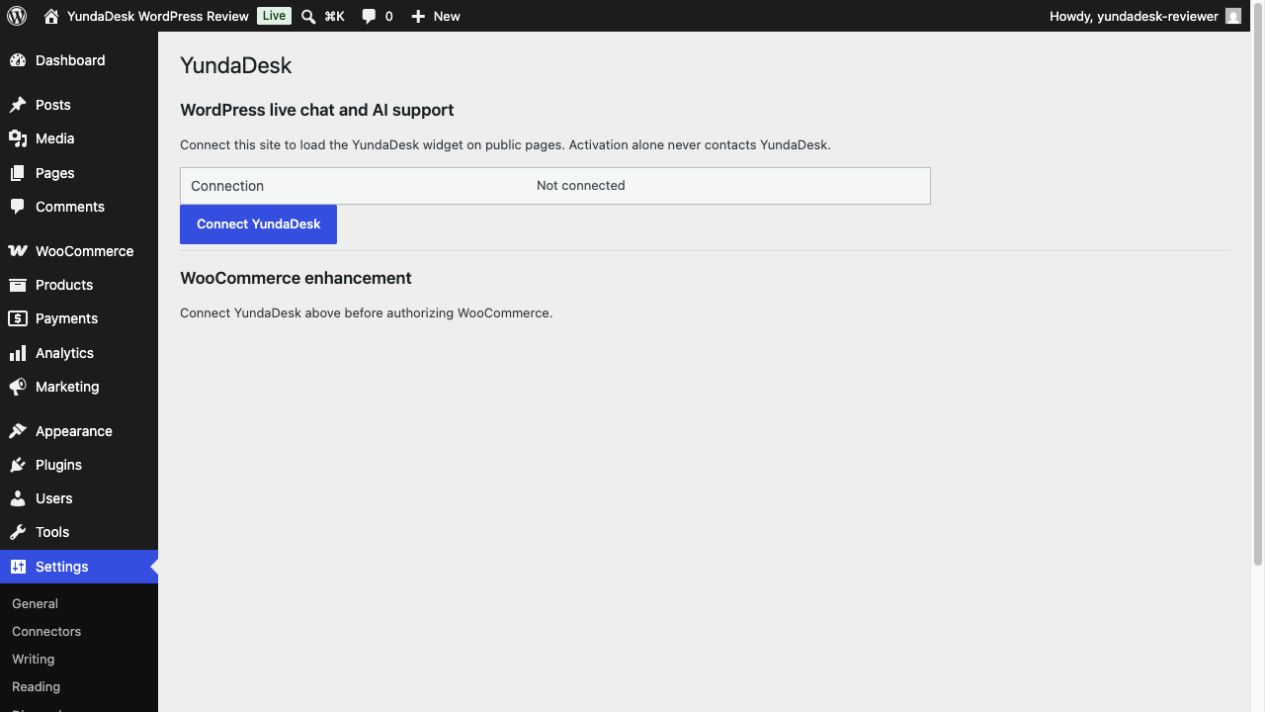
- Adds one native page at Settings > YundaDesk.
- Starts no external request merely because the plugin is activated.
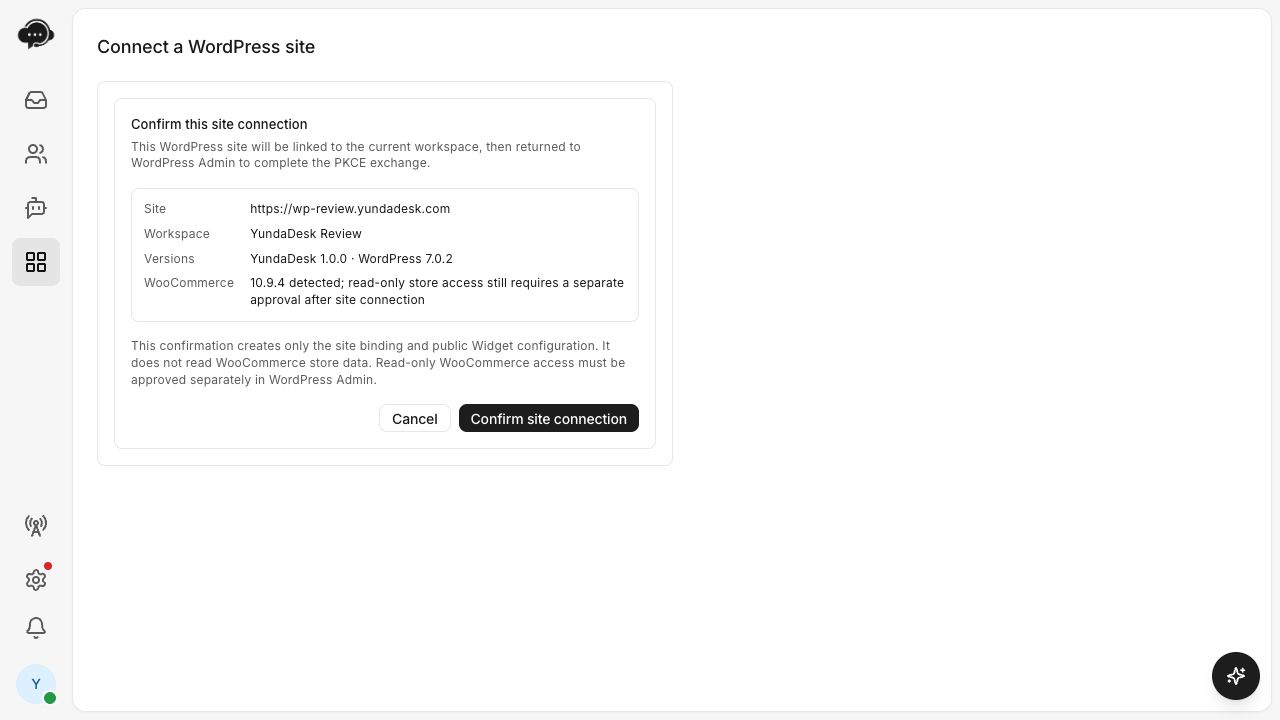
- Connects a site only after an administrator clicks Connect YundaDesk, signs in or registers, and selects a YundaDesk workspace.
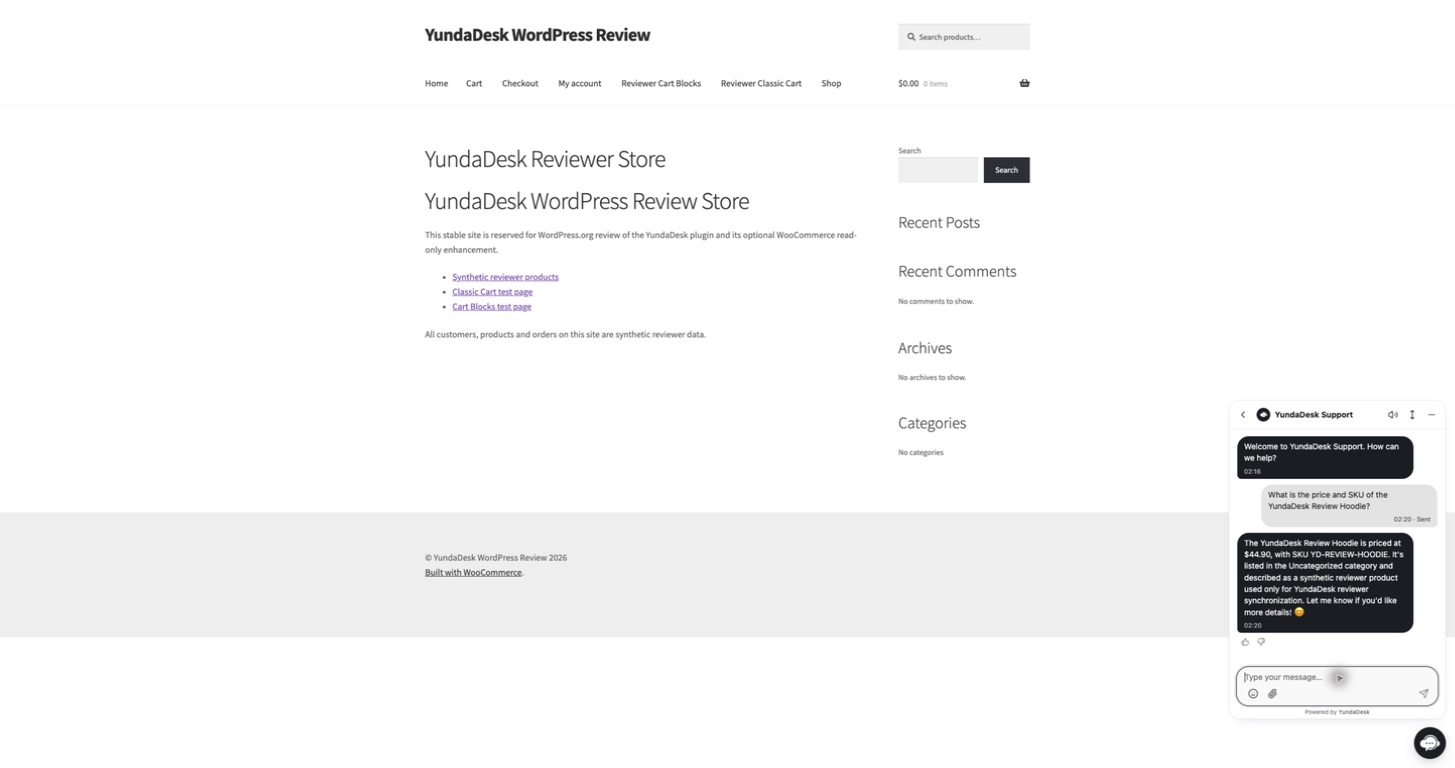
- Loads the fixed YundaDesk widget service on public rendered pages after connection.
- Optionally uses WooCommerce Application Authentication with
scope=read. - Retries transient WooCommerce event-delivery failures from WooCommerce’s durable scheduler without adding customer details or credentials to the queued event envelope.
- Supports WordPress personal-data export and erasure requests for YundaDesk visitor profiles, conversations/messages and minimized WooCommerce customer/order snapshots held for this exact site binding.
- Pauses the widget and synchronization on deactivation, and revokes the site binding during disconnect or uninstall.
WooCommerce data
When separately authorized, YundaDesk reads store settings, customers, products/variations and orders through WooCommerce REST API v3. The first synchronization is paginated in Store, Customer, Product/Variation, then Order order; the initial order window is limited to the 90 days before authorization and later runs read changes incrementally. Customer snapshots are limited to email, display name and country. Order snapshots exclude recipient addresses and phone numbers. The plugin does not request write access and does not change orders, issue refunds or edit customer data.
For a visitor who already has an active YundaDesk widget conversation, the plugin can send a temporary cart context containing product identifiers, names, SKU, quantity, amounts, currency and public page URL. Delivery requires a nonce bound to that visitor’s existing WooCommerce session; the plugin does not create a session merely because a storefront page was viewed. It does not include an address, email address or phone number, and it is not represented as an abandoned checkout.
External services
The plugin communicates with YundaDesk only as required to provide the connected service:
https://app.yundadesk.com— account sign-in/registration, workspace selection and explicit site authorization. The plugin sends a one-time pairing session identifier and state in the browser. Governed by the YundaDesk Terms and Privacy Policy.https://api.yundadesk.com— account-linking exchange, scoped site heartbeat, disconnect, privacy requests, WooCommerce authorization callback coordination, minimal webhook events and temporary cart context. Pairing sends the site URL, a random site-instance ID and WordPress/PHP/plugin/WooCommerce version data. After connection, a scoped site token authenticates the site. WooCommerce Consumer Key and Secret are posted by WooCommerce directly to this HTTPS service and are not exposed to the browser or stored in WordPress options. Governed by the same Terms and Privacy Policy.https://cdn.yundadesk.com/widget.jsand the same origin’s hosted Widget page — the executable loader and visitor chat interface that are essential parts of the hosted YundaDesk service and are not part of the installable plugin package. They load only on public pages after explicit connection. The loader receives the public widget identifier; visitors may submit support messages and profile details through the interface. Governed by the same Terms and Privacy Policy.
No telemetry is sent before connection. The connected-site heartbeat contains plugin, WordPress, PHP and WooCommerce versions, availability state, and aggregate WooCommerce event-delivery health; it does not contain event payloads or customer personal data. The plugin does not download updates or install executable code from YundaDesk.
Screenshots
Installation
- Install and activate YundaDesk from the WordPress Plugin Directory.
- Open Settings > YundaDesk.
- Click Connect YundaDesk.
- Sign in or create an account, then explicitly choose the YundaDesk workspace for this site.
- Return to WordPress and confirm that the widget status is enabled.
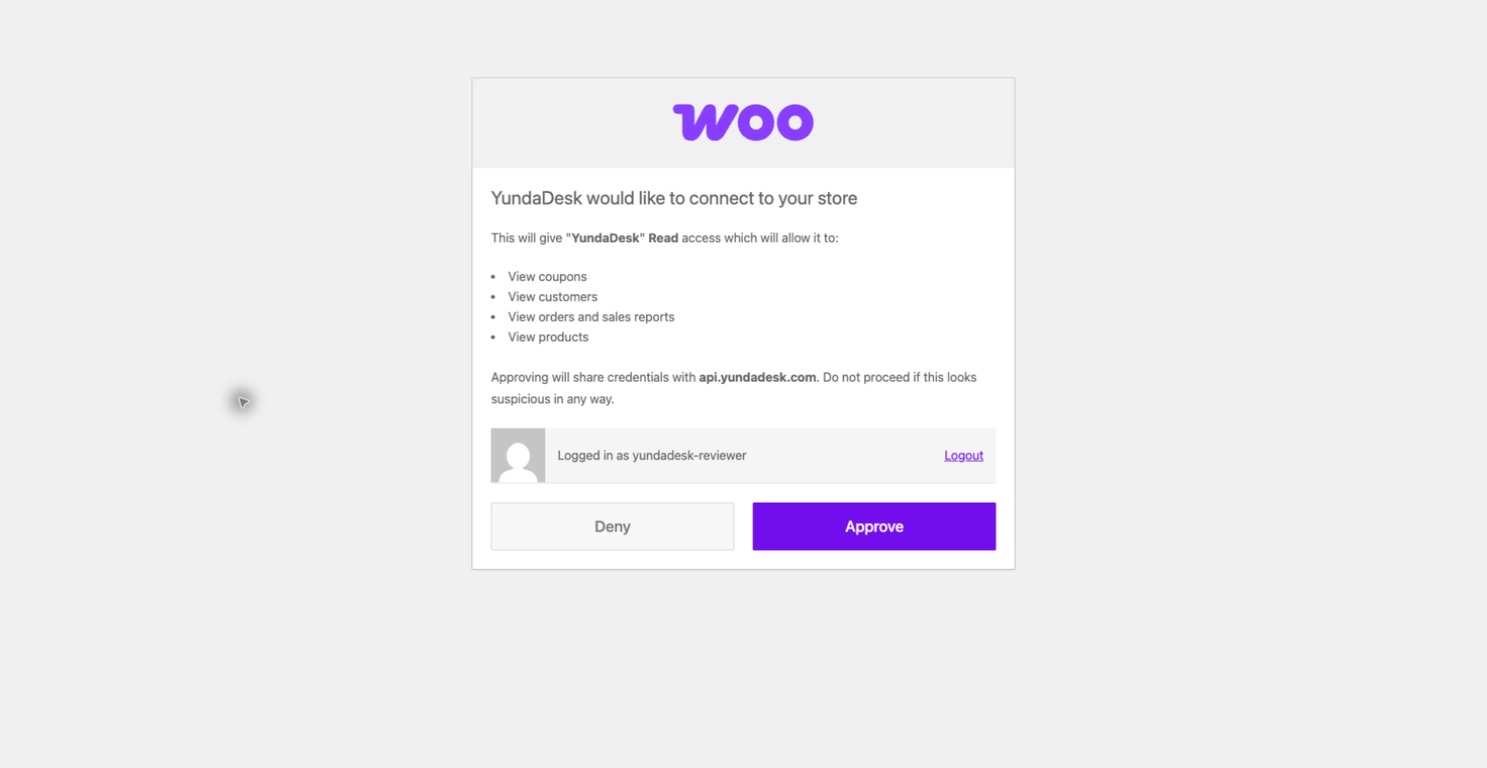
- Optional: if WooCommerce 8.2 or newer is active, open the WooCommerce section and click Connect WooCommerce (read-only). Approve the Read scope on WooCommerce’s authorization page.
On multisite, configure and connect each child site separately. Network activation does not automatically connect all child sites.
FAQ
-
Does activation contact YundaDesk?
-
No. Activation creates only a non-autoloaded local option with a random site-instance ID. External requests begin after an administrator explicitly clicks Connect YundaDesk.
-
Is WooCommerce required?
-
No. The WordPress widget, live chat and AI support work without WooCommerce. WooCommerce is an optional enhancement inside the same plugin.
-
What WooCommerce permission is requested?
-
Read only. YundaDesk uses WooCommerce’s official
/wc-auth/v1/authorizeapplication-authentication endpoint withscope=read. The plugin does not requestwriteorread_write. -
Where are WooCommerce API credentials stored?
-
WooCommerce posts them directly to the YundaDesk HTTPS callback. YundaDesk stores encrypted secret references in its secret-management service. The credentials are not returned to the browser and are not saved in WordPress options.
-
Does YundaDesk track abandoned checkouts?
-
No. WooCommerce core has no authoritative abandoned-checkout resource. A short-lived, PII-free cart context may be associated only with an existing active widget conversation, and it is never labeled as abandoned. After WooCommerce creates its standard signed HttpOnly visitor session for cart activity, the bridge uses a session-bound WordPress nonce; merely viewing a storefront page does not create that session, and missing or cross-session requests are rejected before cart delivery.
-
How do I disconnect?
-
Open Settings > YundaDesk and choose Disconnect this site. This revokes the scoped site token, stops the widget and pauses WooCommerce synchronization. If WooCommerce access was authorized, also remove the corresponding YundaDesk key under WooCommerce > Settings > Advanced > REST API.
-
Does this plugin guarantee GDPR or CCPA compliance?
-
No. The plugin provides privacy-policy suggestions and integrates with WordPress personal-data export and erasure tools. Site owners remain responsible for evaluating and documenting their own legal obligations.
Reviews
There are no reviews for this plugin.
Contributors & Developers
“YundaDesk” is open source software. The following people have contributed to this plugin.
Contributors
Translate “YundaDesk” into your language.
Interested in development?
Browse the code, check out the SVN repository, or subscribe to the development log by RSS.
Changelog
1.0.0
- Initial WordPress.org release.
- Explicit PKCE site linking and public widget bootstrap.
- Optional WooCommerce 8.2+ read-only store, customer, product, order and cart context.
- Minimal signed WooCommerce event topics with durable transient-failure retries, HPOS declaration, Classic/Blocks cart support and WordPress privacy tools.
- Validated with WordPress 7.1 and WooCommerce 11.0.