Description
PrintBlob is a free product designer for WooCommerce: customers put their own photos, logos and text on a t-shirt in your shop, choose its colour and size and order it, and every order keeps the design. It brings product personalization to shops that print the orders themselves or send them to a printer, with DTG, DTF, screen printing, sublimation or heat transfer.
Try it before you install: the live demo on printblob.com runs this designer, with PrintBlob Pro’s back printing and 3D view added.
Set up in one click: once PrintBlob is active, PrintBlob › Quick setup makes a t-shirt your customers can design, with its colours, sizes, prices and a page with the designer. Choose Set up my shop, then Open the product to see it as your customers will.
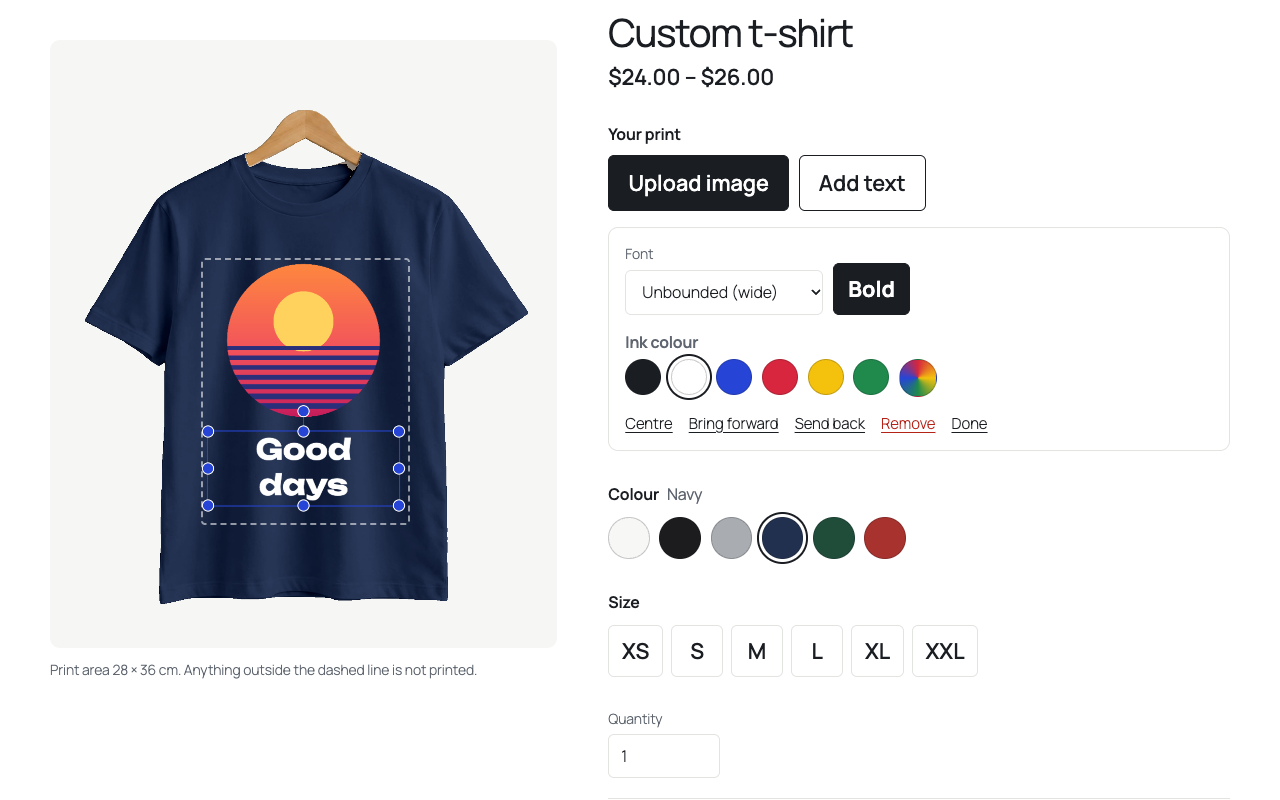
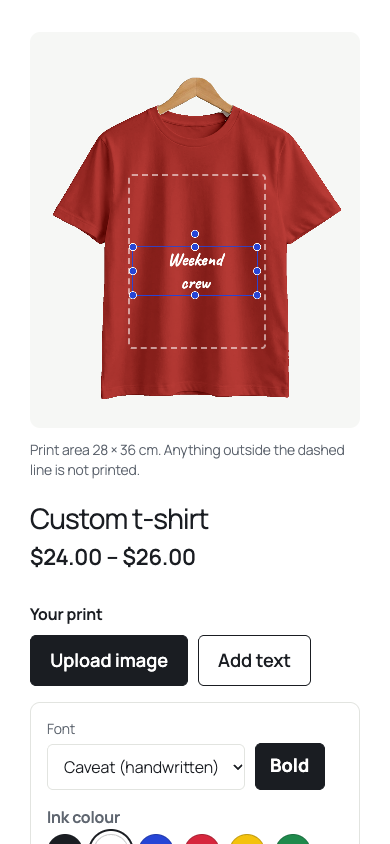
PrintBlob adds a custom product designer to WooCommerce, for shops that sell personalized products and want “design your own” on the product page. Customers upload a photo or logo, type text in a choice of fonts, move and resize everything on the front of the t-shirt, pick a colour and size, and see the price update as they go. When they order, the order keeps their design, a preview of each printed side on the product and the images they uploaded. Print-ready 300 DPI files and the customers’ original images come with the PrintBlob Pro add-on.
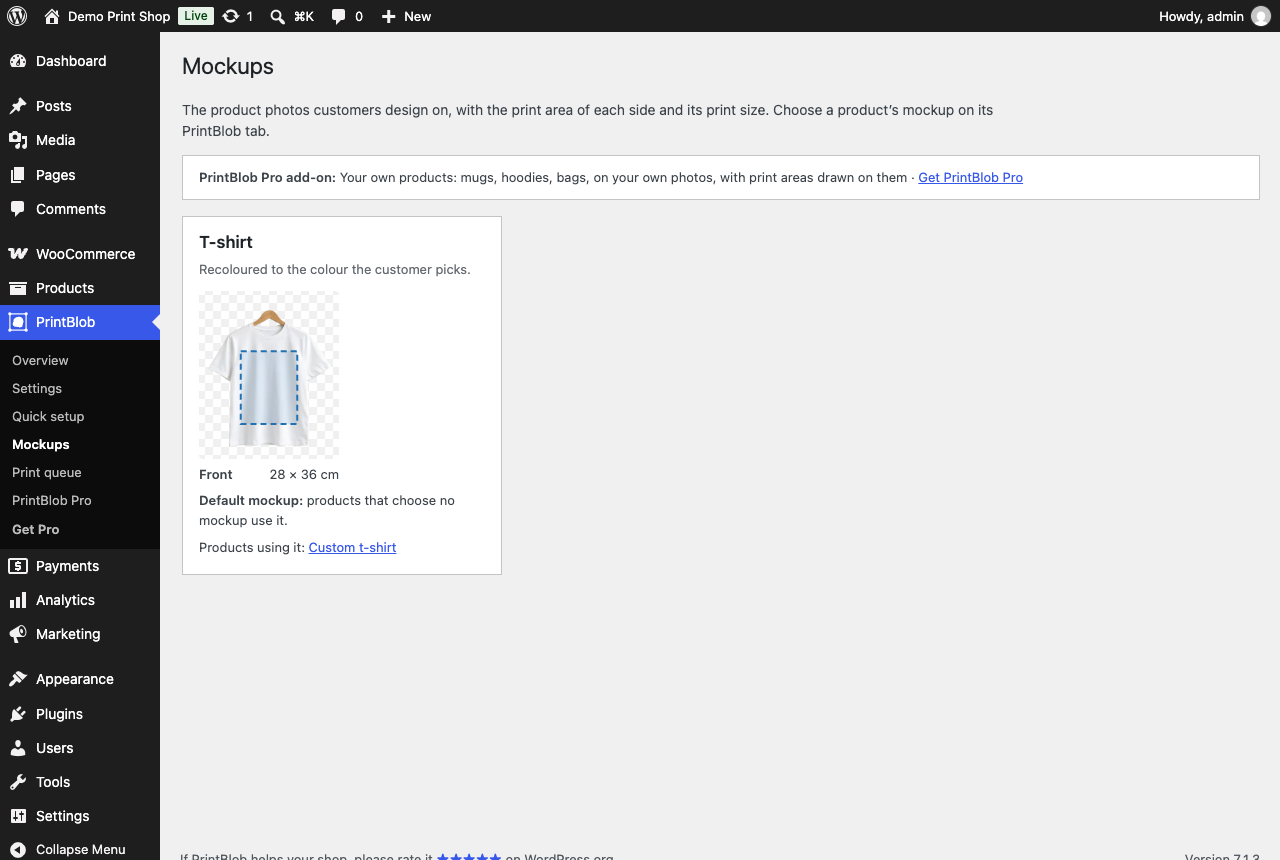
- A t-shirt, ready to sell. The bundled t-shirt mockup, front and back photos with its print area and real print size set, is ready the moment you activate. PrintBlob › Mockups shows it with its print area drawn on the photo.
- Every colour from one photo. The white t-shirt is recoloured to each colour of your colour attribute, keeping folds and shading.
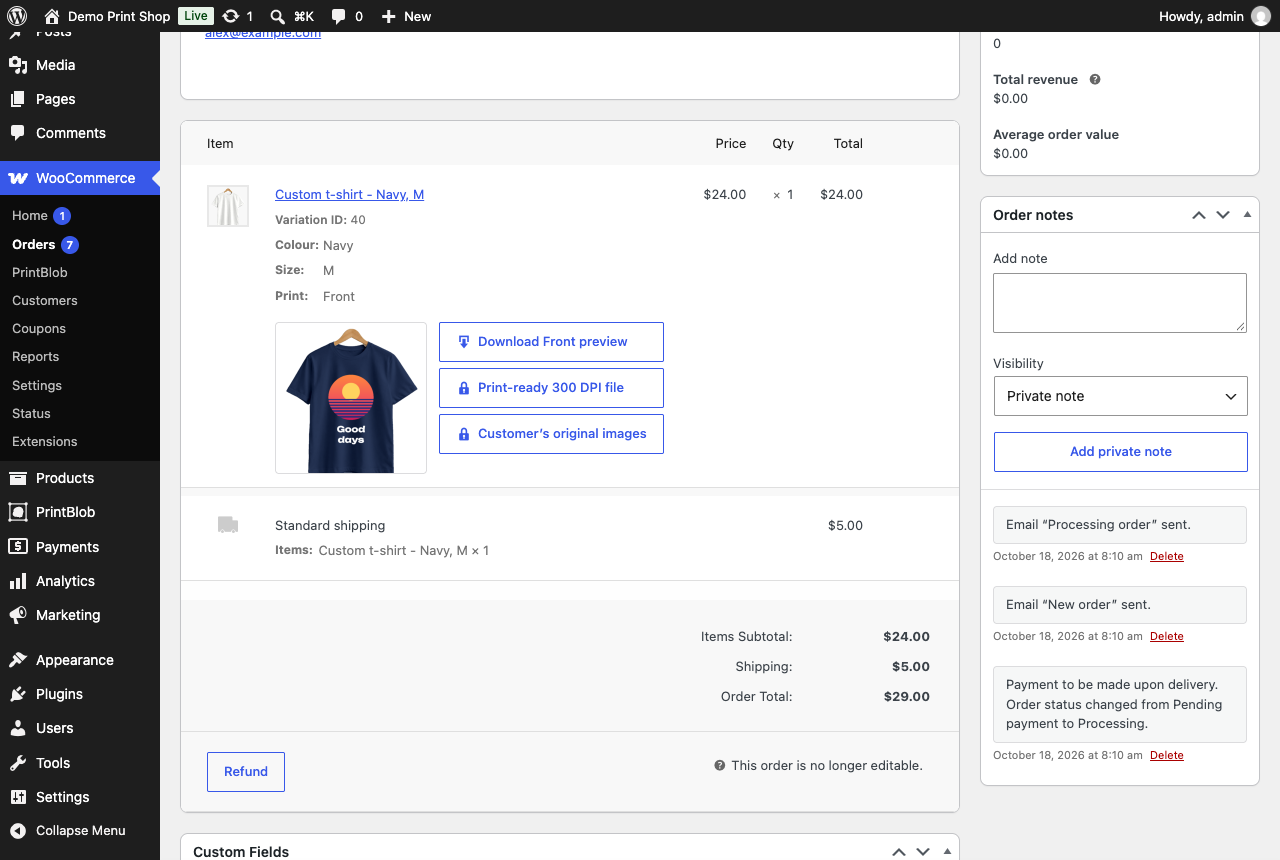
- The design, kept with the order. Each order keeps the customer’s design, its preview on the product per printed side and the images they uploaded. Customers are warned when an image is too small to print sharply.
- Works with WooCommerce. Variable products, the block cart and checkout, order emails and the order screen (with each side’s preview). Compatible with High-Performance Order Storage.
- Blocks. The PrintBlob designer block and the Colours block work in any block theme. Theme colours, fonts and corner radius are used automatically.
- Translation-ready, including the designer itself, with translations from translate.wordpress.org.
- More than t-shirts, with PrintBlob Pro. Sell a hoodie, a sweatshirt, a mug, a tote bag or a cap from your own product photos, each with its print area and real print size.
PrintBlob Pro
The PrintBlob Pro add-on adds print-ready 300 DPI files of every order (made when the design is added to the cart, and for earlier orders from their saved designs) with the customers’ original images, your own products (anything you print, on your own photos, with the print area drawn on each and its real print size), back printing, a 3D view of the product made from its front and back photos, sleeve printing, a production print queue and your own fonts.
When you buy PrintBlob Pro on printblob.com, you can choose Install PrintBlob Pro there. printblob.com sends you to PrintBlob’s upgrade screen in your shop’s admin, where an administrator who can install plugins gets PrintBlob Pro installed, activated and licensed in one step: PrintBlob connects the licence you bought and installs PrintBlob Pro with WordPress’s own installer, and only a release signed by PrintBlob, downloaded from printblob.com over HTTPS and matching its signature. Nothing is installed unless you choose it on printblob.com. Where your site does not let WordPress install plugins, the screen gives you the download instead, and PrintBlob Pro connects the licence by itself when you activate it.
Privacy
PrintBlob sends nothing to any outside service, except where you choose to. A Get PrintBlob Pro link, when you follow it, gives printblob.com your site’s address and its admin address, so that after paying it can open your site’s PrintBlob Pro install screen. When you install PrintBlob Pro from printblob.com, the upgrade screen sends printblob.com your site’s address to connect the licence you bought, and downloads PrintBlob Pro from it. When you deactivate PrintBlob, a box asks why you are leaving. “Skip and deactivate” sends nothing. Only if you press “Send and deactivate” does it send printblob.com the reason you chose, your note, your email address if you typed one, the PrintBlob version and your WordPress language; nothing about your customers, and printblob.com does not keep your site’s address. How long printblob.com keeps it is in its privacy policy: https://printblob.com/legal/privacy/. Customer images and designs are stored on your site: previews in the media library, the customers’ images (and print files, with PrintBlob Pro) in a protected folder. Designs that never become an order are deleted after the number of days set in the settings.
Copyright
PrintBlob is copyright 2026 microcompanies, LLC, and released under the GNU General Public License v2 or later (license.txt). The PrintBlob name and logo are not covered by that licence.
Source code
The scripts in build/ are compiled from the source in src/, which ships with the plugin: npm install and npm run build (@wordpress/scripts) rebuild them. The designer uses Fabric.js (MIT licence), bundled in build/designer/view.js. The print fonts in assets/fonts/ (Onest, Unbounded, Lora and Caveat) are under the SIL Open Font License 1.1; each family’s licence ships beside it as assets/fonts/OFL-*.txt. The t-shirt mockup photos in assets/mockups/ are microcompanies’ own renders, released with the plugin under the GPL.
Requirements
WordPress 7.0, WooCommerce 10.0 and PHP 7.4 or newer.
Screenshots
Blocks
This plugin provides 2 blocks.
- PrintBlob designer Customers place their own images and text on the product, pick colour and size, and add it to the cart.
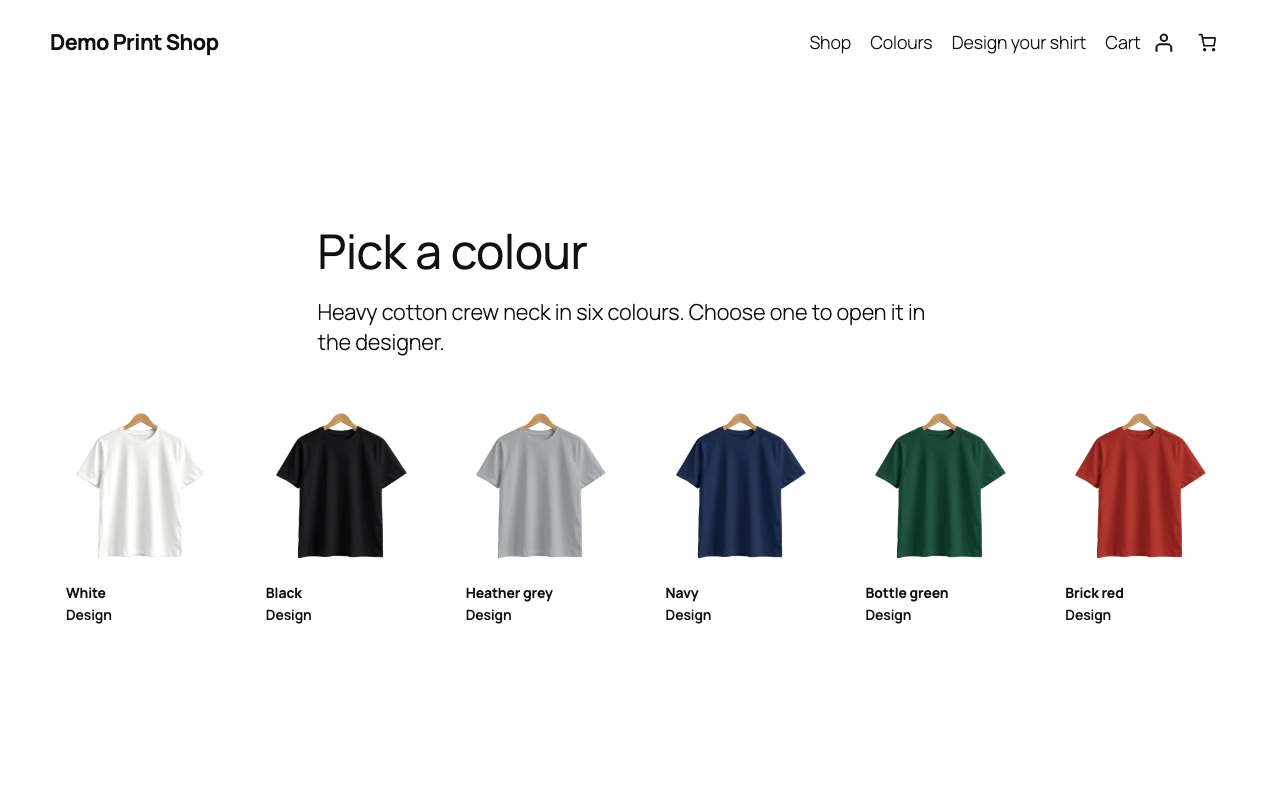
- Colours The colours you sell, each opening the designer in that colour. Colours and photos come from the colour attribute under Products › Attributes.
Installation
- Install PrintBlob from Plugins › Add Plugin (search for “PrintBlob”) and activate it. WooCommerce must be active.
- Open PrintBlob › Quick setup (PrintBlob’s row on the Plugins screen links to it) and choose Set up my shop. It makes a t-shirt customers can design: a colour and a size attribute (new, or the ones your shop has), the product with the designer on and a variation for every colour and size, and a page with the designer.
- Choose Open the product: customers design their print there, choose a colour and size and order it.
- To turn the designer on for a product of your own, edit it, open its PrintBlob designer tab, turn the designer on and set the print price per side. Its colours are the terms of your colour attribute: give each a colour value (Products › Attributes).
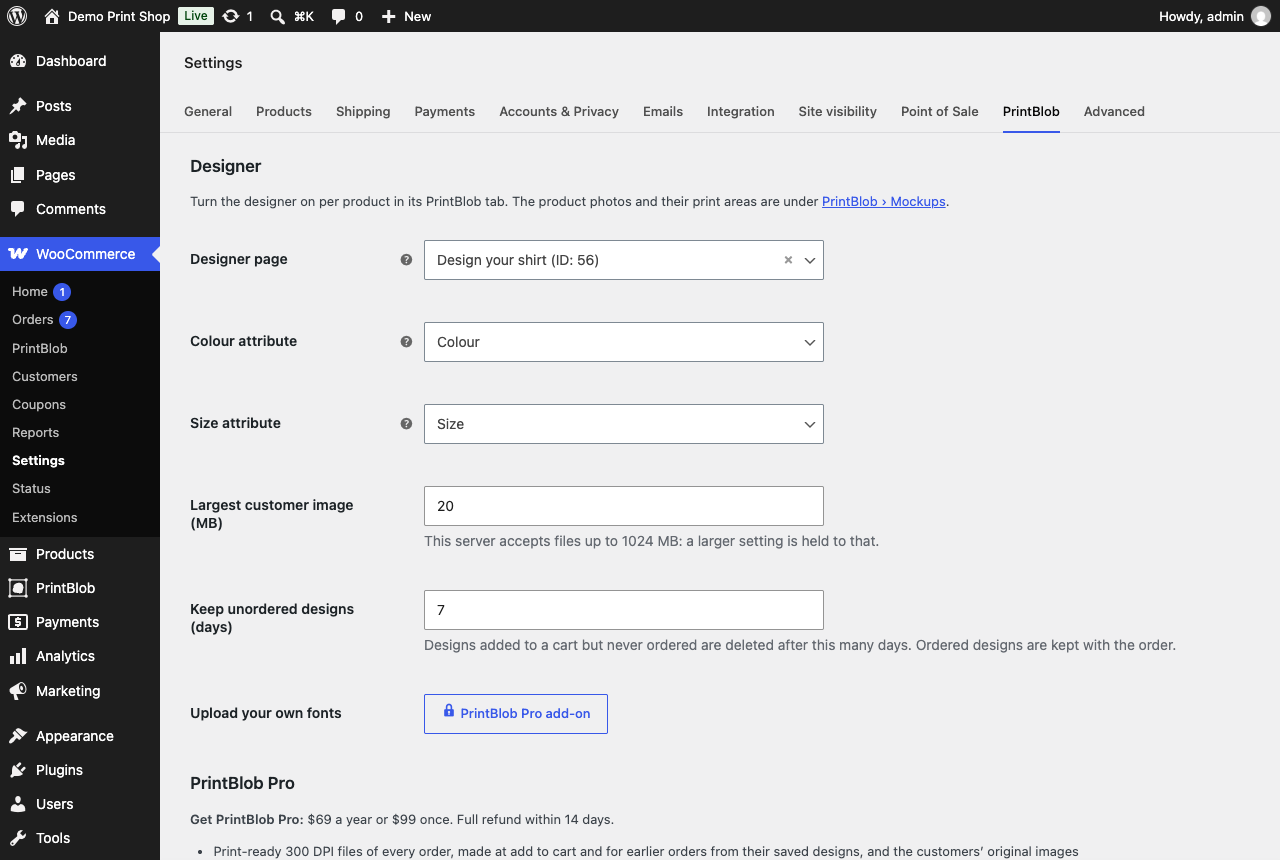
- Add the PrintBlob designer block to any other page that should show the designer and the Colours block wherever you want colour links, and check the options under WooCommerce › Settings › PrintBlob.
FAQ
-
I activated PrintBlob. What now?
-
Open PrintBlob › Quick setup and choose Set up my shop. In one click it makes a t-shirt your customers can design and order, on the bundled mockup: its colours with their colour values, its sizes, the product with the designer on, its variations and prices, and a page with the designer. Then choose Open the product and design on it as your customers will. PrintBlob › Overview shows what is set up, with a link to fix anything that is not.
-
Where do I get the print files?
-
Print-ready files come with the PrintBlob Pro add-on: a transparent PNG at 300 DPI per printed side, exactly the print size set on the mockup, with the customer’s original images. PrintBlob keeps every order’s design, so Pro also makes the print files of orders placed before you add it. Print files made by PrintBlob before version 1.4.0 stay on their orders: open the order in WooCommerce to download them. Files are stored outside public access.
-
Does it work for DTF, DTG or screen printing?
-
Yes. PrintBlob does not print; it gets you the design. With PrintBlob Pro, every printed side of an order becomes a transparent PNG at 300 DPI at the print area’s exact size: the file DTF and DTG printing take as it is, and the artwork a screen printer separates into colours. The free plugin keeps every order’s design and a preview of each printed side, and warns customers when an image is too small to print sharply.
-
Can customers design a hoodie, a mug or a tote bag?
-
Yes, with PrintBlob Pro. The free plugin comes with a t-shirt, ready to sell. PrintBlob Pro adds your own products from your own photos, front and back: draw the print area on each photo and set its real print size, and customers design on it as they do on the t-shirt.
-
Does it work with my theme?
-
PrintBlob’s blocks work in block themes and use your theme’s colours and fonts. The designer also shows on the product page of designer products.
-
Is there a Pro version?
-
PrintBlob Pro is a separate add-on from printblob.com. It adds print-ready 300 DPI files of every order with the customers’ original images, a 3D view of the product, sleeve printing, a production print queue with one-click download of all print files of an order, and your own fonts. Everything in this plugin works without it. When you buy it on printblob.com, choose Install PrintBlob Pro there: PrintBlob installs it on your shop, activates it and connects its licence, with no key to copy and no zip to upload.
-
Can I try it first?
-
Yes. The designer on printblob.com is this plugin’s own code, with the bundled t-shirt: add text or a picture, switch sides and see the print file it makes. The demo also shows PrintBlob Pro’s print files and 3D view.
-
Does it slow down my shop?
-
The designer’s script loads only on pages that show it, its layout is in the page before the script runs, and fonts load when a customer picks them. Other pages of your shop load nothing from PrintBlob.
-
Can I change how the designer looks?
-
It uses your theme’s colours and fonts. Set the corner radius for buttons and fields with
settings.custom.printblob.radiusin your theme’s theme.json, or override the--printblob-*CSS custom properties.
Reviews


Contributors & Developers
“PrintBlob – Product Designer, T-Shirt Designer & Customizer for WooCommerce” is open source software. The following people have contributed to this plugin.
Contributors
Interested in development?
Browse the code, check out the SVN repository, or subscribe to the development log by RSS.
Changelog
1.4.10
- PrintBlob’s own screens show the PrintBlob Pro add-on’s Lifetime licence as the limited-time offer it is, with the day it ends, and stop offering it the day after; links to PrintBlob Pro open on Lifetime while it is sold.
1.4.9
- Keeps the PDF and SVG print files the PrintBlob Pro add-on makes of each printed side beside its PNG, in the same private folder, and refuses any that could run a script or load anything from elsewhere.
- Keeps a CMYK PDF of a printed side, which the PrintBlob Pro add-on makes for shops that print in CMYK, as a print file of its own beside the PDF, the SVG and the PNG, only when it names the printing condition its colours are for.
- Other plugins can add ink colours after the designer’s own and a note on printed colour under the print’s tools, through printblob_designer_config (inks, colourNote); both are drawn from the designer’s first moment, so nothing moves as it starts.
- The plugin’s name is now PrintBlob – Product Designer, T-Shirt Designer & Customizer for WooCommerce, and its tags and description use the words shops search the plugin directory with.
- Other plugins can price a printed side by the quantity of one design: the cart asks the printblob_side_price filter each side’s price at the quantity of the design in the cart, counted over every item that has it, and the designer asks the printblob.designer.sidePrice JavaScript filter the same at the quantity chosen.
- Other plugins can add sections to the designer’s panel, before the price or after its breakdown: listed through printblob_designer_config (sections), drawn first through printblob_designer_section and registered on the printblob.designer.sections JavaScript filter, with an overlay over the product if they need one. A section can have the design ordered its own way: one cart item per size, more sides printed, and files sent with the design, which another plugin keeps through printblob_design_saved and deletes with the design through printblob_delete_design.
- The designer starts once the page’s scripts have run, so what other plugins add to it is there from its first moment.
- The price breakdown’s amounts start at one place on each line, so a price changing (a range becoming one price, a larger total) moves nothing beside it.
- The designer’s fields keep their text whole in themes that give every field a fixed height.
- Only a size or option no variation has is struck through: one that waits, or that another plugin chooses, is only dimmed.
- The Install PrintBlob Pro screen has its title, and on PHP 8.1 and later WordPress no longer reports a deprecation before the page starts when debugging is on.
- The Overview, the PrintBlob Pro screen and the order screen link to PrintBlob Pro’s licence screen only where PrintBlob Pro has one.
- The designer can start from a design another plugin offers, placed in the same spot of this product’s print area and scaled to fit, and keeps where the design started with the order. PrintBlob Pro’s design templates use it.
- Art another plugin’s tool adds stays with the design and is never counted among the customer’s own images; the tool can keep its own controls beside the image’s (PrintBlob Pro’s clipart colours). The designer can also save designs instead of selling them, for PrintBlob Pro’s template editor.
1.4.8
- A new shop is led to Quick setup until a product has the designer on: PrintBlob’s row on the Plugins screen links to it, the dashboard’s PrintBlob widget offers it in place of empty counts, and the first steps show its button first.
- Quick setup’s screen opens on its form, without the first steps that lead to it. Once it has run, the screen says the shop is set up, with Open the product and what it made, and no longer shows the form below.
- Quick setup names a colour or size attribute it has just made by its name, not as pa_color. The Overview no longer marks “Products customers can design” done while no product has the designer on.
- The review request is shown below the heading of PrintBlob’s own pages, so they no longer jump as they load.
1.4.7
- The plugin’s name says what it is: a product designer and t-shirt designer for WooCommerce. The description names the products PrintBlob Pro lets you sell.
- PrintBlob › PrintBlob Pro opens with what Pro costs, its buttons and pictures of its 3D view, print-ready files and your own products, then lists what Pro adds before what both have, with a dash where the free plugin has none.
- The first steps after activation sit below the heading of each PrintBlob screen, so no screen moves as it loads; the Overview’s picture of the 3D view keeps its place too.
1.4.6
- A site using the designer can mark a side’s tab or a view’s button with a small badge, drawn from the first moment the designer shows and never part of the price lines, the cart or the print files.
1.4.5
- The plugin’s description names the print methods its files are made for (DTF, DTG, sublimation and screen printing), and its short description describes the free plugin without PrintBlob Pro’s features.
- The designer’s warning for images too small to print sharp (below 150 DPI at the placed size) reads its threshold from the designer’s own settings, the number printblob.com’s print-size tool uses too.
1.4.4
- The product’s name in the designer is the page’s main heading wherever the page shows no title of its own: Automatic now reads the page’s own template.
- A shop running PrintBlob Pro without a licence yet, such as Pro’s small first download, gets its licence connected from the Install PrintBlob Pro screen too.
1.4.3
- PrintBlob Pro installs itself: after buying it on printblob.com, Install PrintBlob Pro puts it on your shop with its licence connected, once its file is checked against PrintBlob’s signature. Where the host does not let WordPress install plugins, the page gives the download, and Pro connects its licence by itself when you activate it.
- A printed side whose print price is left empty is not offered on that product, and 0 prints it free. The designer shows one price from its first moment, the same as the shop’s listed price, and its total agrees with it.
- The print area keeps the proportions of its print size, so the print file is exactly what the customer saw.
- PrintBlob › Mockups shows each mockup with its sides, print areas, sizes and the products that use it. The product’s PrintBlob tab links its mockup, shows the print prices of that mockup’s sides only, and lists the choices the designer offers.
- On phones the side tabs fit the screen and Add text keeps the product in view; on wide screens there is no gap beside the product; under the pointer, buttons get a ring instead of a new colour.
- After an order the designer starts afresh, and the order confirmation and My account show each designed item’s preview.
- The Overview reads the same print-folder check as Site Health and names designer products that offer no side. Quick setup refuses the same attribute for colours and sizes. An order’s designed sides download from columns of one width.
1.4.2
- On the order screen, each printed side’s downloads stand in one column beside its picture, as buttons of one width with their icons in line.
1.4.1
- Saving a design and adding it to the cart works for everyone signed in to WordPress too, a shop manager trying their own shop among them: the design is saved the way WooCommerce’s cart is. Customers who order as guests were not affected.
- A page left open until its security token expired gets a fresh one and saves, instead of asking to reload.
- The product picture fits the window: its size follows the window’s height, leaving room for the tabs above it.
- A design that stayed in a cart longer than the shop keeps unordered designs is taken out of the cart with a note, instead of reaching the order without its design.
- The largest image a customer can upload follows what the shop’s server accepts, and the designer says so before sending; the eleventh image is refused in the designer, not at the last step.
- With PrintBlob Pro installed but its licence not active, PrintBlob says so where print files would be, and keeps its own print queue.
- A design already ordered cannot be added to a cart again.
- PrintBlob’s admin screens make far fewer database queries.
- With a PrintBlob Pro older than 1.4.1, PrintBlob keeps working with it as before until Pro updates too.
- Deleting the plugin removes only what PrintBlob stored, and nothing at all if it cannot read its own list of what that is.
1.4.0
- Print-ready 300 DPI files and the customers’ original images are now part of the PrintBlob Pro add-on. PrintBlob saves every order’s design, its preview on the product and the customer’s images, so Pro makes the print files for earlier orders too. Print files made before 1.4.0 stay downloadable.
- Each order offers its preview: the design on the product, to download.
- PrintBlob Pro is offered at its price, with a full refund on request (printblob.com/legal/refunds/); there is no free trial any more.
1.3.1
- PrintBlob Pro’s features are translated in the overview, the upgrade box and the comparison, like the rest of PrintBlob.
- The upgrade box keeps its buttons in view: its picture is smaller, and the prices and the refund are on lines of their own.
- The shop manager’s “3D · Pro” link on the product page is in the theme’s text colour, readable with a light accent colour.
1.3.0
- A PrintBlob menu with its own Overview: each set-up step marked done or to do, with the link that fixes it, the latest orders with designs, and this month’s count. The same overview is under WooCommerce › PrintBlob.
- Quick setup: one click makes a designable product on the bundled t-shirt, with a colour and a size attribute, its variations and a designer page. Each step can use what the shop already has, and running it again makes nothing twice.
- The designer now shows on the product page of a designer product in any theme: block themes get a “Product with the PrintBlob designer” template, classic themes get the designer in place of the photos and summary.
- A Print queue screen lists processing orders with designs and their print files; a “PrintBlob this week” dashboard widget counts them.
- PrintBlob prints the front of the bundled t-shirt. Back printing and your own products (the mockup editor) are now part of the PrintBlob Pro add-on, beside sleeves, the 3D view and the print queue. Orders placed with a back print keep their print files, and mockups made earlier keep working.
- PrintBlob’s own screens show what PrintBlob Pro adds, and a page compares free and Pro.
- When PrintBlob is deactivated, a box asks why. Nothing is sent unless the person presses Send.