

Description
SilentShield is a unified captcha and anti-spam plugin for WordPress.
It works with the most popular form builders and protects login, registration, and comment forms – without slowing your site.
Why choose SilentShield?
– Invisible defense – Captcha, honeypot, and blacklists working silently.
– Instant results – Install, activate, and stop spam.
– Universal support – Works with Contact Form 7, WPForms, Elementor, WooCommerce, and more.
– Privacy-first – No cookies, no tracking, fully GDPR / DSGVO compliant.
SilentShield doesn’t just protect forms.
It protects your time, your customers, your business.
Core Features
- Invisible Captcha (Arithmetic, Honeypot, Image)
- Smart IP Blocking & Blacklists
- Spam filters for links, code & keywords
- Whitelisting for admins & customers
- GDPR-ready, no cookies, no tracking
Supported Form Plugins & Integrations
SilentShield protects forms from all major WordPress form builders and core features:
Form Builders:
– Contact Form 7 (CF7)
– WPForms / WPForms Lite
– Elementor Pro Forms (classic widget and v4 “atomic” forms)
– Gravity Forms
– Fluent Forms
– JetFormBuilder
– Avada (Fusion Builder) Forms
WooCommerce:
– Checkout (classic & PayPal Payments)
– Login
– Registration
WordPress Core:
– Login form (wp-login.php)
– Registration form
– Comment forms
Other:
– Ultimate Member (Login & Registration)
– WP Job Manager (Job Applications)
Each integration can be enabled or disabled individually under Settings > Extended.
Protection Layers
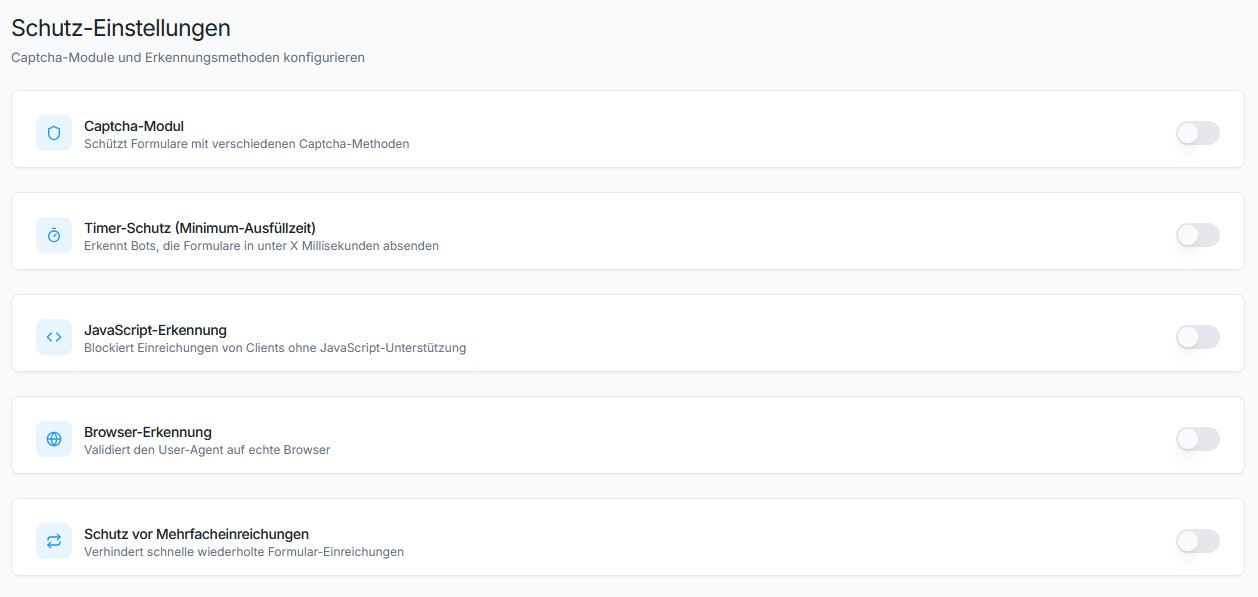
SilentShield uses 10+ protection mechanisms working together:
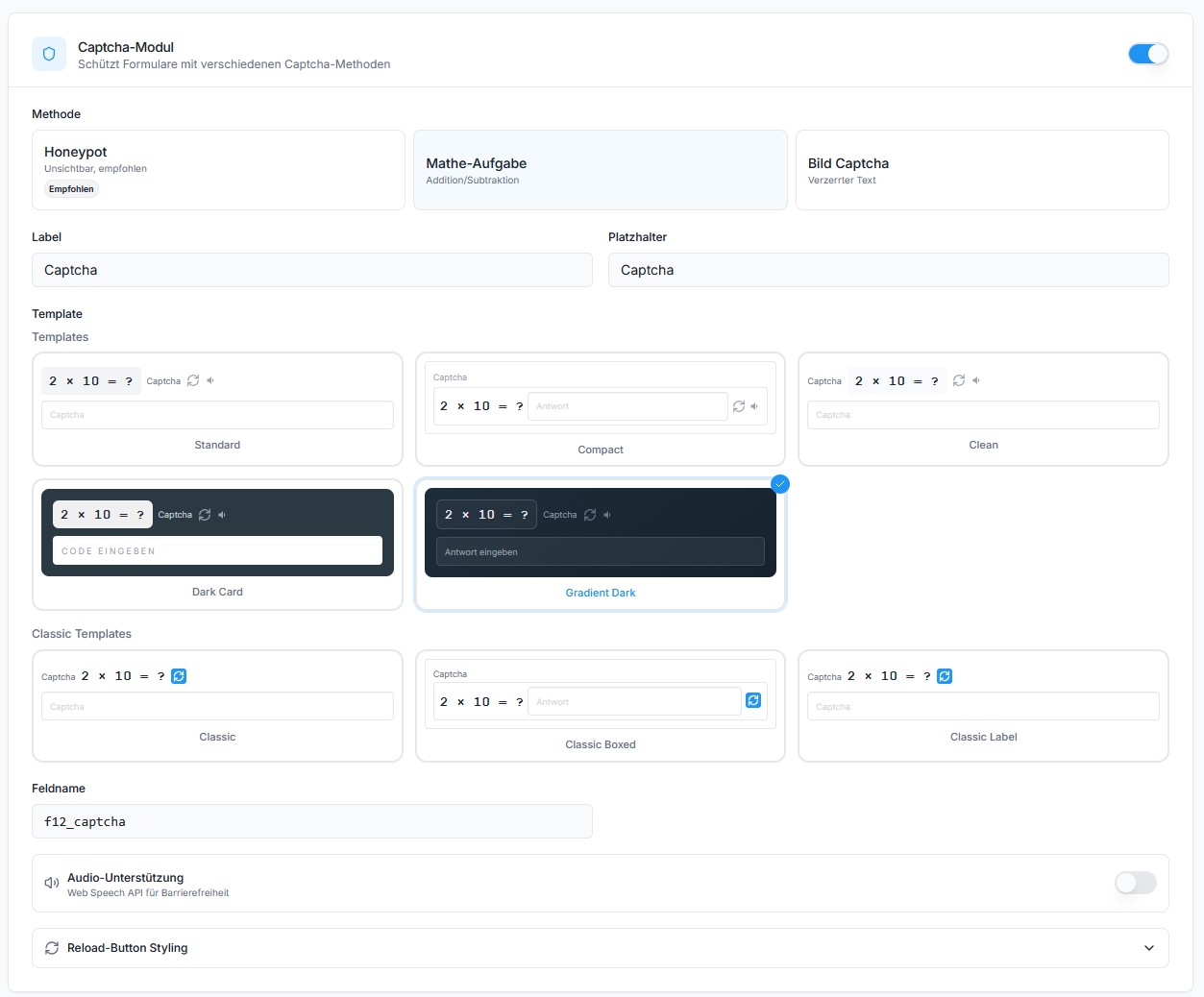
- Captcha – Arithmetic math, honeypot, or image-based captcha
- JavaScript Protection – Detects submissions from bots without JS support
- Browser Detection – Validates User-Agent strings
- Timer Protection – Blocks submissions faster than a human can type
- Multiple Submission Protection – Prevents rapid duplicate submissions
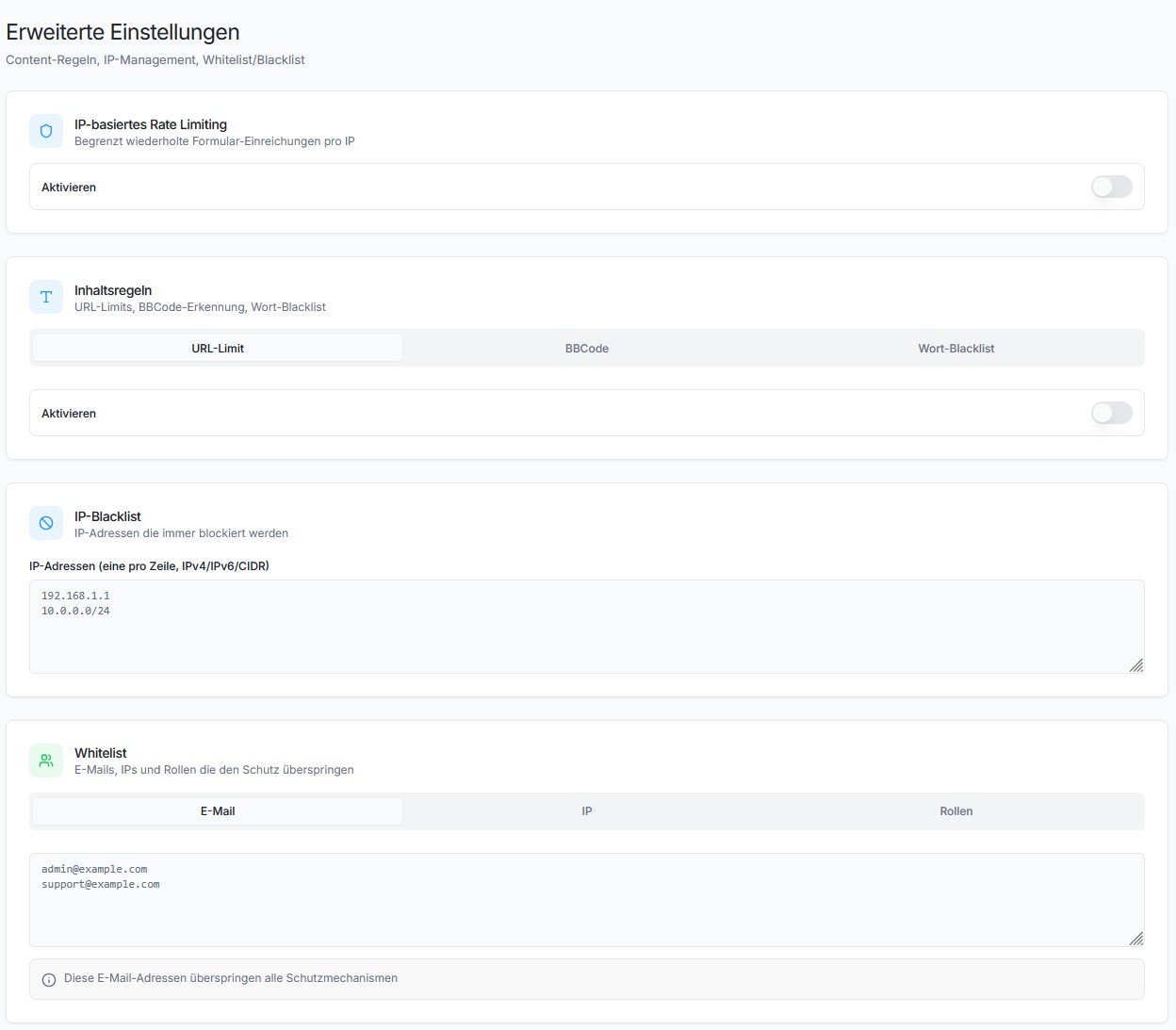
- IP Rate Limiting – Limits requests per IP and time window
- IP Blacklist – Block known bad IPs
- Content Rules – Limit URLs, block BBCode, keyword blacklist
- Whitelist – Skip validation for admins, logged-in users, or specific emails/IPs
- SilentShield API (Beta) – Cloud-based spam detection
The Promise
SilentShield is not “just another plugin.”
It’s an invisible wall against the background noise of the internet.
Activate once – and your forms are human again.
Privacy & Telemetry
- No cookies, no user tracking.
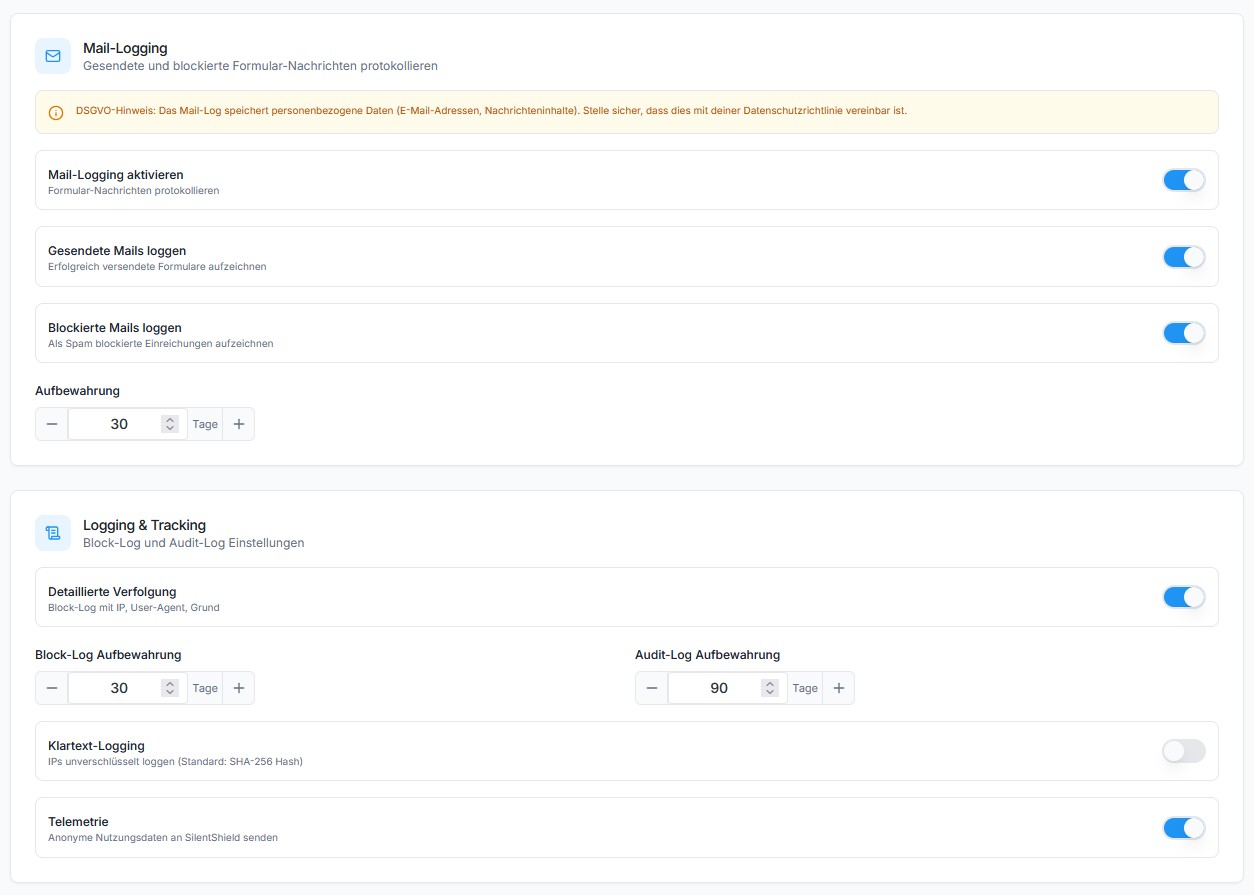
- Encrypted IP storage (max. 2 months, only for spam defense).
- Every transmission described below is optional and can be switched off in the plugin settings.
- The plugin’s built-in Privacy page shows which of these are active on your site, what that means, and gives you ready-made privacy-policy snippets in 25 languages.
1. Plugin statistics (setting “Telemetry”)
Anonymous, no personal data, sent at most once a day:
– plugin_slug, plugin_version
– snapshot_date
– settings_json (anonymized config – only boolean/integer flags, no free-text)
– features_json (enabled features)
– created_at, first_seen, last_seen
– counters_json (spam events)
– wp_version, php_version, locale
2. AI-crawler observation (setting “Observe AI crawlers”, on by default; SILENTSHIELD_OBSERVER to force off)
Sent only for requests identified as an AI crawler — never for your human visitors. Delivered after the page has already been sent to the visitor:
– ua (the crawler’s User-Agent), ip, path (without query string), method
– The IP address is pseudonymised on the server (daily keyed hash) and never stored in the clear.
3. Blocked-request reports (only with “Block AI crawlers (enforce)” on; follows the observation setting above)
Same fields as (2), plus the outcome (deny / throttle), for every request enforcement turned away. Note that a block rule which is not restricted to a specific crawler can also catch a human visitor — that request is then reported in the same way.
4. Form assessment (only with the SilentShield API enabled)
See the API snippet on the plugin’s Privacy page for the full description.
GDPR / DSGVO Compliance
– Basis: Art. 6 Abs. 1 lit. f DSGVO (legitimate interest – spam defense and plugin optimization).
– Recipient and processor for (2)–(4): Forge12 Interactive GmbH, Josefstr. 37, 78166 Donaueschingen. Processing takes place exclusively on servers in Germany (Hetzner); no third-country transfer.
– (2)–(4) transmit an IP address and therefore require a data processing agreement (Art. 28 GDPR) and a note in your privacy policy. The plugin’s Privacy page tracks both.
– No cookies, no user tracking.
Screenshots
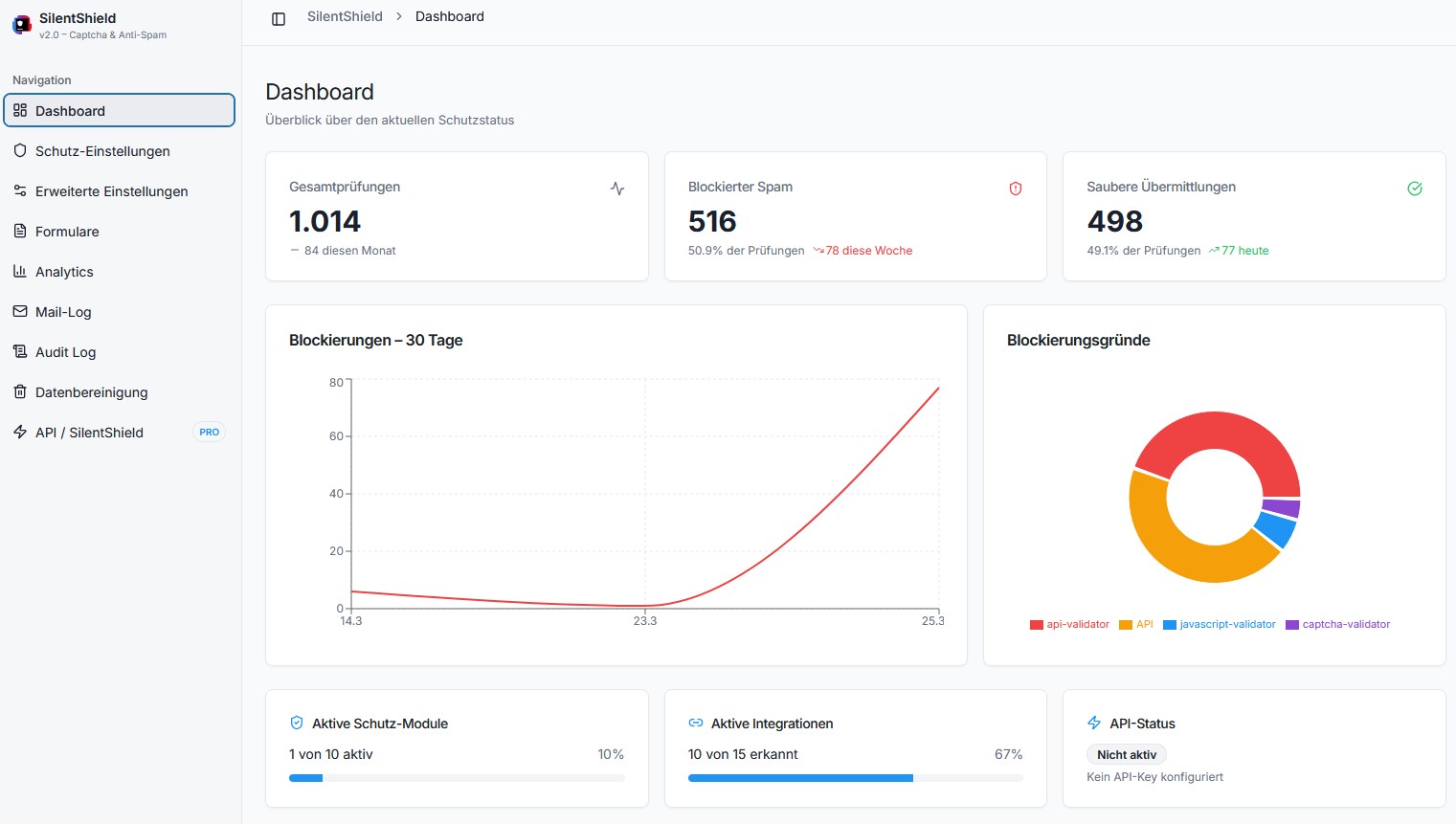
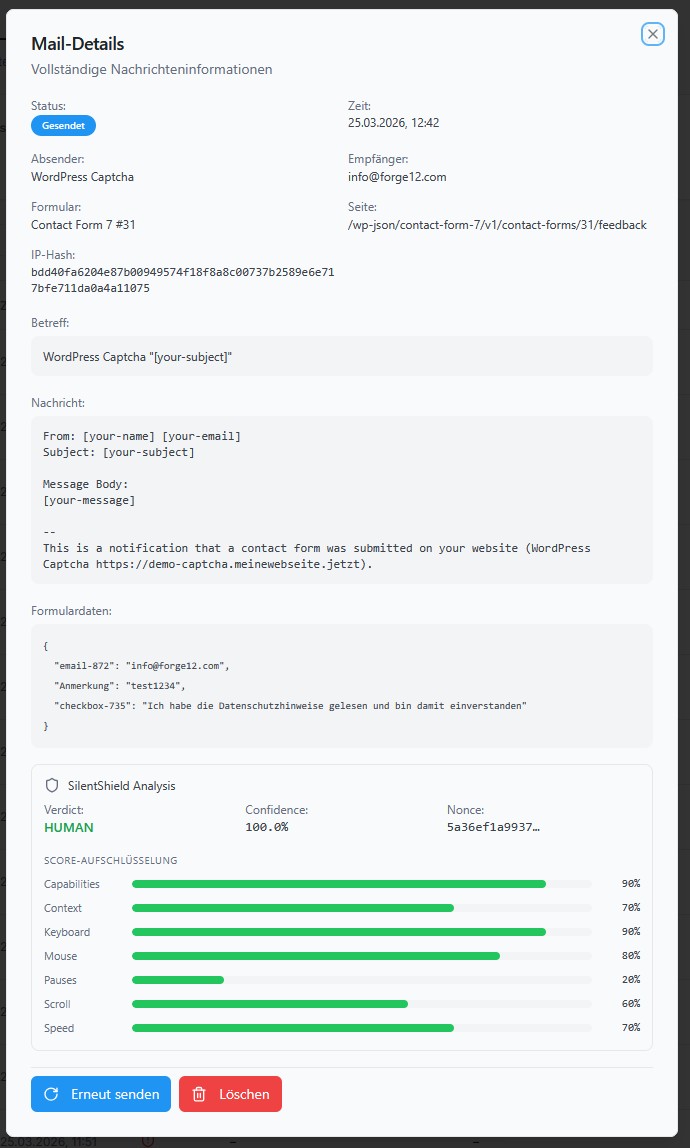
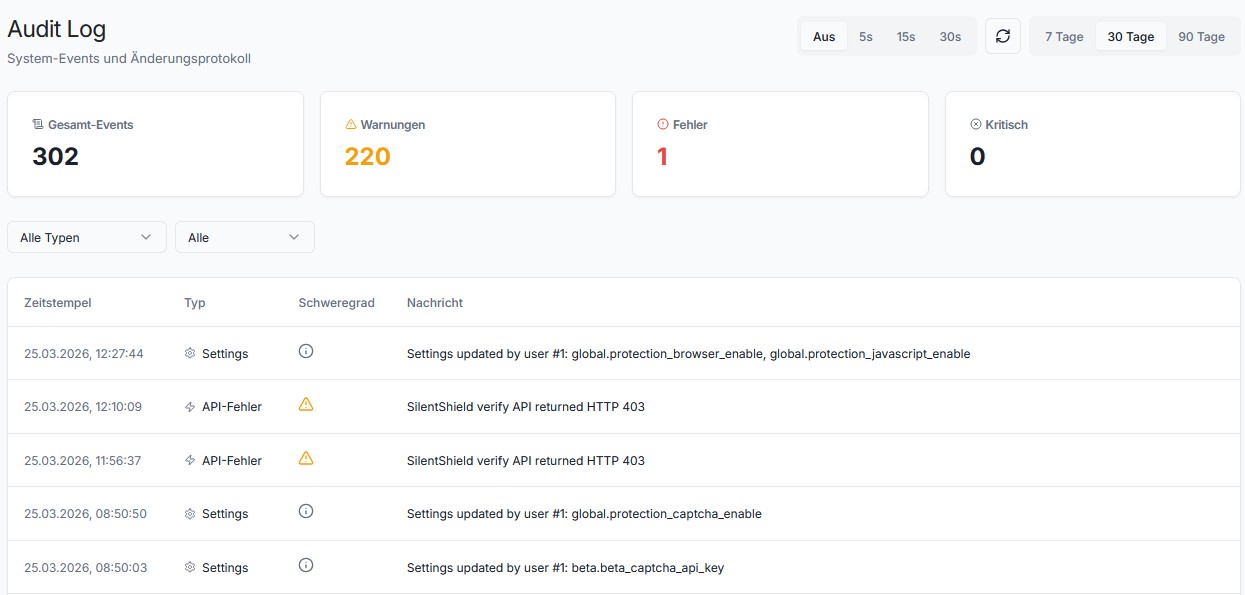
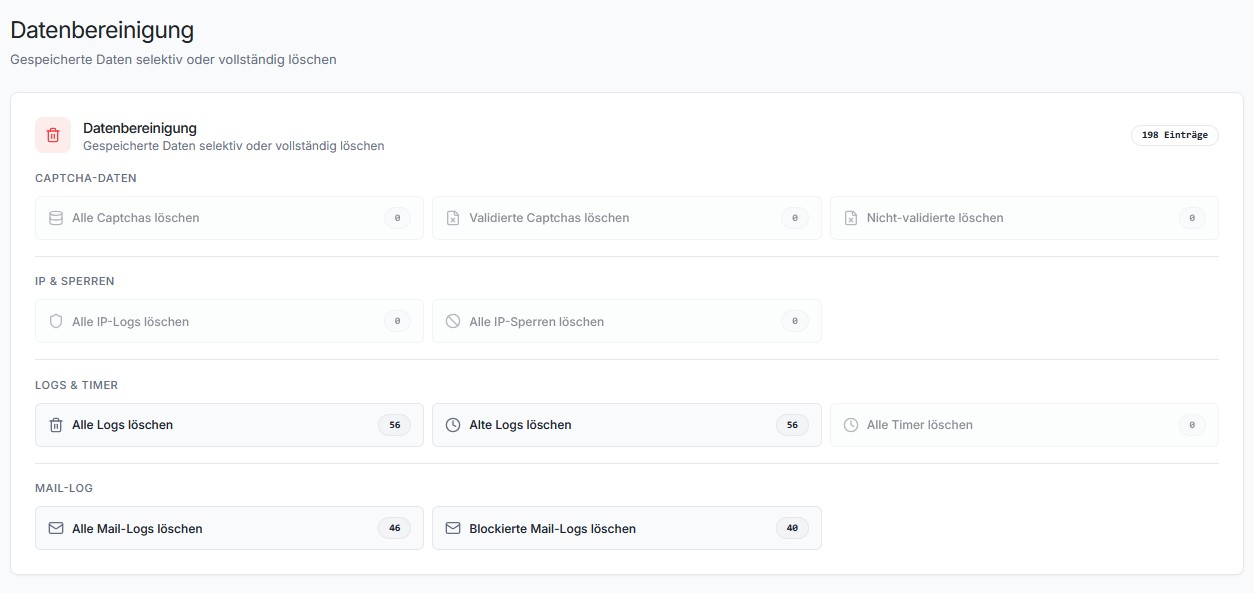
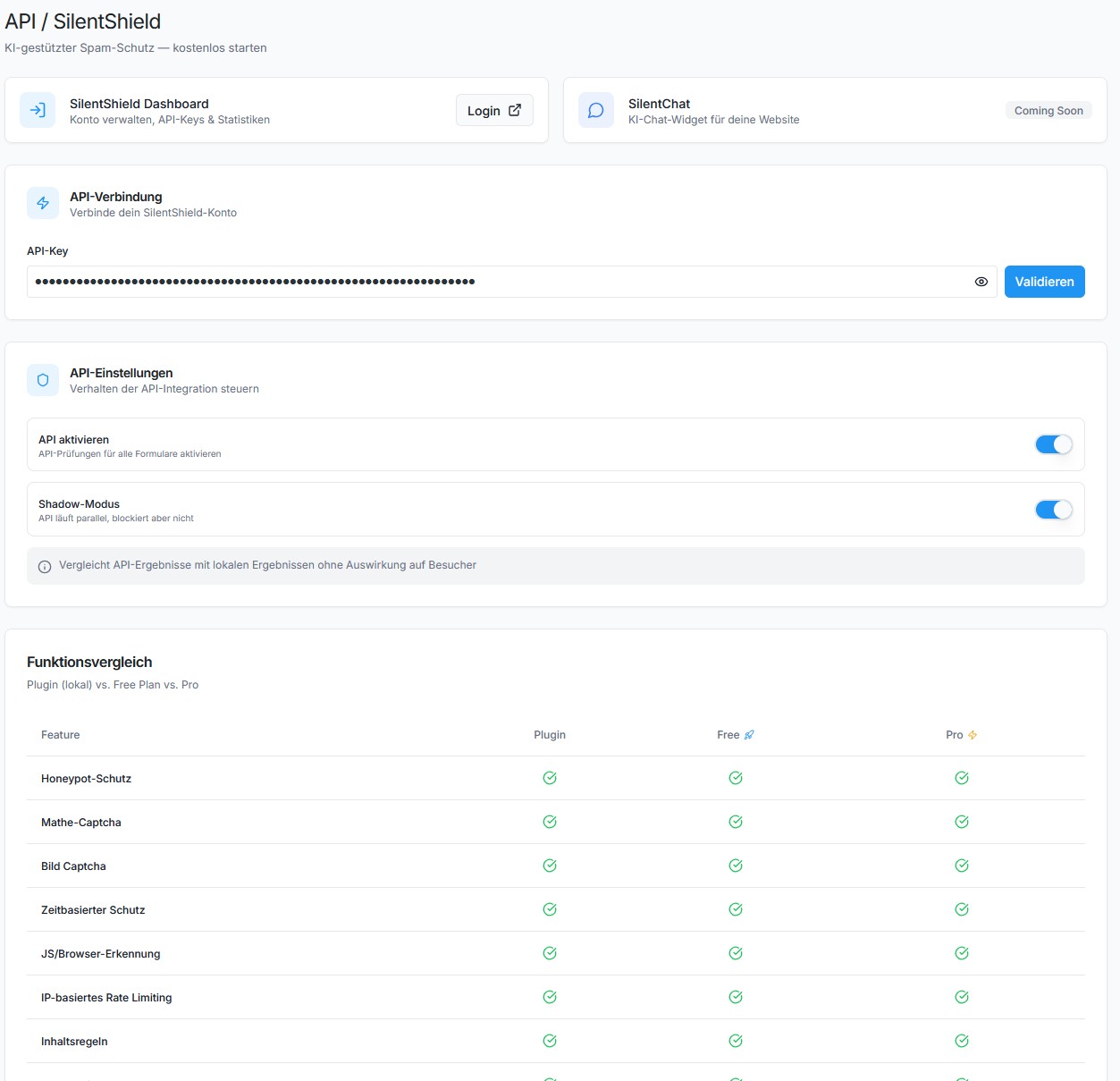
Installation
- Upload to
/wp-content/plugins/. - Activate via WordPress “Plugins” menu.
- Configure protection settings under Settings > SilentShield.
For detailed setup instructions, see docs/installation.md.
FAQ
-
Will this stop all spam?
-
Not all, but it drastically reduces it. SilentShield combines multiple detection layers (captcha, honeypot, IP blocking, JavaScript detection, timer, content rules) for maximum coverage.
-
Is it GDPR compliant?
-
Yes – no cookies, no tracking, only anonymized data. IPs are stored encrypted for max 2 months (only for spam defense). See the Privacy section below.
-
Do I need coding skills?
-
No. Everything is managed via WordPress Dashboard.
-
Does it work with WooCommerce PayPal Payments?
-
Yes. SilentShield automatically injects JavaScript protection timestamps into PayPal checkout requests. Both PayPal Standard Buttons and Card Fields are supported.
-
Can I customize the captcha appearance?
-
Yes. Choose from 3 built-in templates, customize the label and placeholder text, and select a reload icon color (black/white). Developers can further customize the output via filters.
-
Can I disable specific protection layers?
-
Yes. Every protection mechanism (captcha, timer, JavaScript, browser, IP, rules, etc.) can be individually enabled or disabled.
-
How do I whitelist my admin users?
-
Under Settings > Extended > Whitelist, enable “Whitelist Admin Users” and/or “Whitelist Logged-In Users”. You can also whitelist specific emails and IPs.
-
What data does telemetry collect and why?
-
SilentShield includes optional anonymous telemetry (opt-out).
This helps us understand which features are used, so we can improve usability and remove unused complexity.We are a small independent team – we don’t earn money with this plugin, and we don’t sell or share data.
Telemetry is used only for optimization and maintenance purposes. -
Where is the full documentation?
-
See the docs/ directory in the plugin folder for complete documentation of all settings, hooks, REST API, and developer reference.
Reviews


Contributors & Developers
“SilentShield – Captcha & Anti-Spam for WordPress (CF7, WPForms, Elementor, WooCommerce)” is open source software. The following people have contributed to this plugin.
Contributors
“SilentShield – Captcha & Anti-Spam for WordPress (CF7, WPForms, Elementor, WooCommerce)” has been translated into 2 locales. Thank you to the translators for their contributions.
Interested in development?
Browse the code, check out the SVN repository, or subscribe to the development log by RSS.
Changelog
2.12.1
- New [Elementor]: Elementor’s new v4 forms — the “atomic” forms, built on the new element system — are now protected. They were not before, and not because the protection failed on them: these forms assemble what they send entirely in the browser and only include the fields Elementor itself placed, so everything this plugin adds was dropped on the way out and the form arrived looking like an ordinary, unprotected submission. Its fields now travel with the request. Nothing of ours appears in your notification email or in the submissions table, and the classic Elementor form widget is unaffected.
- Fix [Captcha]: On sites with page caching the reload button stopped working, and did so silently. The button sent a security token that WordPress stamps into the page itself and only accepts for about a day; a cached page keeps serving that token long after it has expired, and WordPress then turned every click away before the plugin ever saw it. The button no longer sends that token. It does not need one — the address the request comes from is checked instead, which a cache cannot invalidate. This affects the same on every form plugin, not only Contact Form 7.
- Fix [Captcha]: If your site sends visitors’ browsers the instruction not to disclose which page they came from — a common privacy setting, and one some privacy extensions apply on their own — the reload button, the audio button and the timing refresh were refused outright. They were relying on exactly the information that setting withholds. They now use signals the browser sends regardless, so the setting no longer costs you a working captcha.
- Fix [Captcha]: The limit on how often a new captcha could be requested was counted per address as your server reports it. Behind a CDN or load balancer that is one and the same address for everybody, so all your visitors together shared a single allowance of thirty requests a minute — busy enough sites simply ran out, and the reload button then stopped working for everyone at once. The limit now counts each visitor separately, using the proxy setting you may already have configured.
- Fix [Captcha]: A reload that failed used to leave no trace whatsoever: the old captcha stayed on screen, nothing was said, and nothing was written to the browser console unless you knew about an undocumented debug switch. There was no way to tell a refused request from a broken connection, and nothing useful a visitor could report. A failed reload now says so next to the captcha and records the reason in the browser console.
- Fix [Admin]: The SilentShield navigation column could disappear entirely, leaving no way to reach any of its screens — the sidebar was still on the page, but hidden, and the button meant to bring it back did nothing. The plugin’s own styling was competing on equal footing with a rule WordPress itself ships, and which of the two won came down to the order the stylesheets happened to load in. A theme, another plugin, or anything that combines stylesheets could tip it. The sidebar no longer depends on winning that race.
2.12.0
- Fix [Admin]: On sites whose permalinks are set to “Plain”, several screens inside the plugin were simply empty — the Audit Log, the Mail Log and the Analytics figures showed nothing at all, no matter how much had actually been recorded. The records were never lost; the plugin was asking WordPress for them with a malformed address and getting nothing back. All of those screens fill in again after this update. Sites using any other permalink setting were never affected.
- New [Setup]: A newly installed plugin protects nothing until you switch on the form plugins you use, and until now nothing said so — it sat in your plugin list marked “active” while every form on the site was still wide open. There is now a notice in the WordPress admin, and a panel on the SilentShield dashboard, naming the form plugins found on your site and linking straight to the screen where you turn them on. Nothing is enabled for you: switching on something like the WordPress login form uninvited is how people end up locked out of their own site. Both disappear as soon as anything is protected.
- New [Logging]: When the SilentShield API is in use, its answer to each check is now written to the Audit Log — verdict, confidence and the server’s actual reply — so a decision can be examined afterwards instead of being taken on trust. Failed calls are always recorded, including what came back; recording the successful ones as well is a new switch under Advanced Logging & Tracking, off by default because it writes one entry per submission. Submissions turned away for carrying no behaviour token are logged now too: that is the most common reason a form is blocked, and it previously left no trace at all.
2.11.0
- New [Protection]: The hidden fields the plugin adds to your forms — the honeypot and the two JavaScript timing fields — no longer carry the same names on every site. They are now named per page load, derived from a signed token, so a spam script can no longer be built once against the fixed names and pointed at every site running this plugin.
- Fix [JavaScript protection]: The page age a submission claimed was taken from a hidden field that anyone could set to any value, which meant a form could be fetched once and re-submitted for as long as the spammer liked. That age now comes from a token signed with your site’s own secret and is rejected once it is older than 24 hours. Submissions that carry no token at all — form HTML held in a page cache, or rendered before this update — keep being accepted as before, so nothing breaks when you update.
- Fix [JavaScript protection]: A submission whose end time was before its start time counted as valid, because the difference was rounded to whole milliseconds and only compared against zero. Such submissions are now rejected, as are those where both timestamps were written in the same instant.
- Fix [Honeypot]: A bot that wrote “0” into every field it found passed the trap, because a zero counted as “left empty”. It no longer does.
- Fix [Honeypot]: The trap field was marked
visibility:hiddenin its style attribute — a reliable signal for a scraper looking for the one field it must not touch. It is now moved off-screen instead, and is properly kept out of the tab order and away from screen readers and browser autofill. - Fix [Blacklist]: The words you typed into “Blacklist Words” never blocked anything. The rule reads its list from WordPress’s own Comment Blocklist, and the current settings screen was saving your words somewhere else — the switch reported itself as on, the list looked saved, and nothing was ever caught. Saving now writes through to that list, and the field is filled back in from it, so what you see is what is actually in use. If you had the blacklist switched on, it starts working after this update — which is what the setting promised all along.
- Fix [Elementor]: On Elementor pages the captcha could freeze. Elementor stores a page’s rendered markup for 24 hours, and everything the plugin adds to a form was being stored with it — the same arithmetic question and the same captcha session for every visitor from then on, which is no captcha at all. Worse, whatever your settings were at that moment was frozen in too, so turning a protection on afterwards changed nothing until the cache expired. The form is now excluded from that cache; everything else on the page still benefits from it.
- Fix [Captcha]: “5 – 4 = ?” has the answer 0, and a zero was being stored as “no answer at all”. Roughly one arithmetic captcha in sixty was therefore unsolvable: a visitor typed the correct 0 and was turned away as a spammer.
- Fix [JavaScript protection]: With this protection switched on, several integrations rejected every real visitor. WP Job Manager applications, the Ultimate Member login and the WordPress registration form never recorded the timing the check needs, so a genuine person looked exactly like a bot with no browser. All of them work now. If you tried this setting before and turned it back off because forms stopped working, it is worth another look.
- Fix [Maintenance]: The cleanup buttons under Database Maintenance reported the wrong number of removed entries — “0 deleted” after clearing all logs, and exactly “1 deleted” after clearing the IP log or the IP bans, however many there had been. The deleting itself was always correct; only the count was wrong, in the confirmation and in the audit trail.
- Fix [Logging]: The Status taxonomy the log entries use was registered for a post type this plugin does not have, left over from older code. It worked, but it also stayed attached to that stray name — so if another plugin ever registered a post type called “deals”, a Status column from us would have appeared in its list.
- New [Support]: There is now a way to reach us from inside the plugin. A “Feedback & Support” entry in the menu, a section at the end of the Help page, and a second button on the review notice for when something is not working — until now that notice only offered a public review, which is a poor place to report a problem. Deactivating the plugin also asks once why; answering is optional and opens our form, nothing is sent from your site.
2.10.0
- Fix [Comments]: With comment protection enabled, the captcha was applied to every comment WordPress creates — not just the ones a visitor types into the comment form. A comment added by an importer, by the WordPress app or block editor, by WP-CLI, by a scheduled task or by another plugin carries no captcha field, was therefore treated as spam, and the request was answered with “403 Forbidden” — which could take down whatever feature that other plugin was in the middle of. The captcha now applies only to real comment-form submissions. Nothing changes for the comment form itself: spam is still blocked exactly as before.
- Fix [AI-Agent Enforcement]: Two kinds of rule you can set in your SilentShield dashboard were saved and displayed as active, but the plugin never applied them. Rules by purpose were only matched against a crawler’s older category label, so blocking “AI agents” had no effect at all — the agent-type crawlers (ChatGPT-User, Claude-User, Perplexity-User, Meta, Mistral and others) are filed under a different label. And rules against faked identities were skipped entirely. Both now work. If you already had either rule switched on, those requests will start being blocked after this update — which is what the setting promised all along. Nothing else changes: rules that were working keep working exactly as before.
- Fix [AI-Agent Enforcement]: A crawler is only treated as a forgery when we can actually see where the request came from, its operator publishes IP ranges for the same address type (IPv4/IPv6), and the request comes from outside all of them. A crawler we cannot check stays “unverified” and is never accused — so a genuine bot is not blocked because we happen to hold only part of its address list.
- Fix [AI-Agent Enforcement]: Sites behind Cloudflare, an nginx front-end or any other reverse proxy are no longer at risk of turning away real crawlers. Your server sees the proxy’s address there, not the crawler’s, which would make every well-behaved bot look like a forgery. The plugin now recognises that situation and withholds the “forged” verdict; if you have set
F12_TRUSTED_PROXY_HEADERin wp-config.php, it uses that header to find the real address instead — which also makes “verified” work behind a proxy for the first time. - New [AI-Agent Enforcement]: The plugin now reports to your dashboard which kinds of rule this version can carry out. If you save a rule that needs a newer plugin, the dashboard says so instead of showing it as active.
- New [AI-Agent Enforcement]: Blocked requests are reported to your dashboard, so the “blocked bots” report has data. The report is sent after the visitor’s response has already been delivered, so it costs no page speed, and it follows the “Observe AI crawlers” setting: switch that off and blocking keeps working while the reporting stops. Transmitted are user agent, IP address, path and method of the blocked request; the IP is pseudonymised on the server.
2.9.0
- New [AI-Agent Enforcement]: The plugin can now actually enforce the block rules you set in your SilentShield dashboard — previously it could only observe. When enabled, disallowed AI bots receive a 403 (throttled ones a 429) based on the signed policy your dashboard publishes. The policy is fetched and its Ed25519 signature verified server-side (libsodium), cached, and refreshed off the request path, so pages are not slowed down. Bots are identified by their User-Agent and only treated as “verified” when their source IP is in the operator’s published range. Toggle under Advanced “Block AI crawlers (enforce)” (OFF by default — a deliberate choice; define
SILENTSHIELD_ENFORCERasfalsein wp-config.php to force it off). Fail-open by design: any error, an unverifiable policy, or “observe” mode never blocks a request.
2.8.0
- New [AI-Agent Observation]: The plugin can now record which AI agents/crawlers (GPTBot, ClaudeBot, PerplexityBot and others) visit your site and show them in your SilentShield dashboard. It runs entirely server-side, sets no cookies, blocks nothing, and only sends data for detected bots — never for your human visitors. IP addresses are pseudonymised server-side. The telemetry is sent after the page has already been delivered to the visitor, so page speed is unaffected. Toggle under Advanced “Observe AI crawlers” (on by default; define
SILENTSHIELD_OBSERVERasfalsein wp-config.php to force it off). Legal basis: legitimate interest (Art. 6(1)(f) GDPR). - New [AI-Agent Observation]: The list of known AI crawlers refreshes itself once a day from the SilentShield bot directory (off the request path, with an embedded fallback list), so new crawlers are recognised without a plugin update.
- New [AI-Agent Observation]: A one-time, dismissible admin notice announces the feature and links to the setting — no silent telemetry.
2.7.7
- Fix [Translations]: Resolved the
_load_textdomain_just_in_timenotice (WordPress 6.7+) for thecaptcha-for-contact-form-7domain. Four protection validators (behavior/API, captcha, multiple-submission and timer) translated their failure message inside their constructor, which runs onafter_setup_theme— beforeinit— and therefore triggered translation loading too early. The message is now resolved on theinithook via the newset_message_on_init()helper, while keeping the literal__()strings visible to the translation extractor.
2.7.6
- Security [Audio Captcha]: The accessibility audio endpoint (
/captcha/audio) no longer returns the captcha solution for math challenges. The math answer was never used by the frontend (math formulas are read aloud directly from the page), so this code path only disclosed the solution to direct API callers. Image captchas still spell out their characters — that is the intended purpose of the audio accessibility feature and remains protected by the existing per-IP rate limit. - Security [SilentShield]: Documented that the frontend
beta_captcha_api_keyis a publishable, domain-bound client key (comparable to a reCAPTCHA site key), intentionally exposed to the browser so the behavioral client script can run. It carries no administrative or sensitive authority.
2.7.5
- Fix [Forms]: Enabling WordPress Comments, JetFormBuilder or Ultimate Member protection no longer attaches the captcha submit interceptor to unrelated forms — most notably the WooCommerce “Add to cart” form (
form.cart), which could be blocked or delayed. These three integrations relied on the generic default-forms handler, which bound to every form on the page that wasn’t explicitly excluded (an exclusion list that could never be complete). Each integration now has its own dedicated module that targets only its own forms (comment form, JetFormBuilder forms, Ultimate Member login/registration), and the generic handler is no longer activated as a side effect.
2.7.4
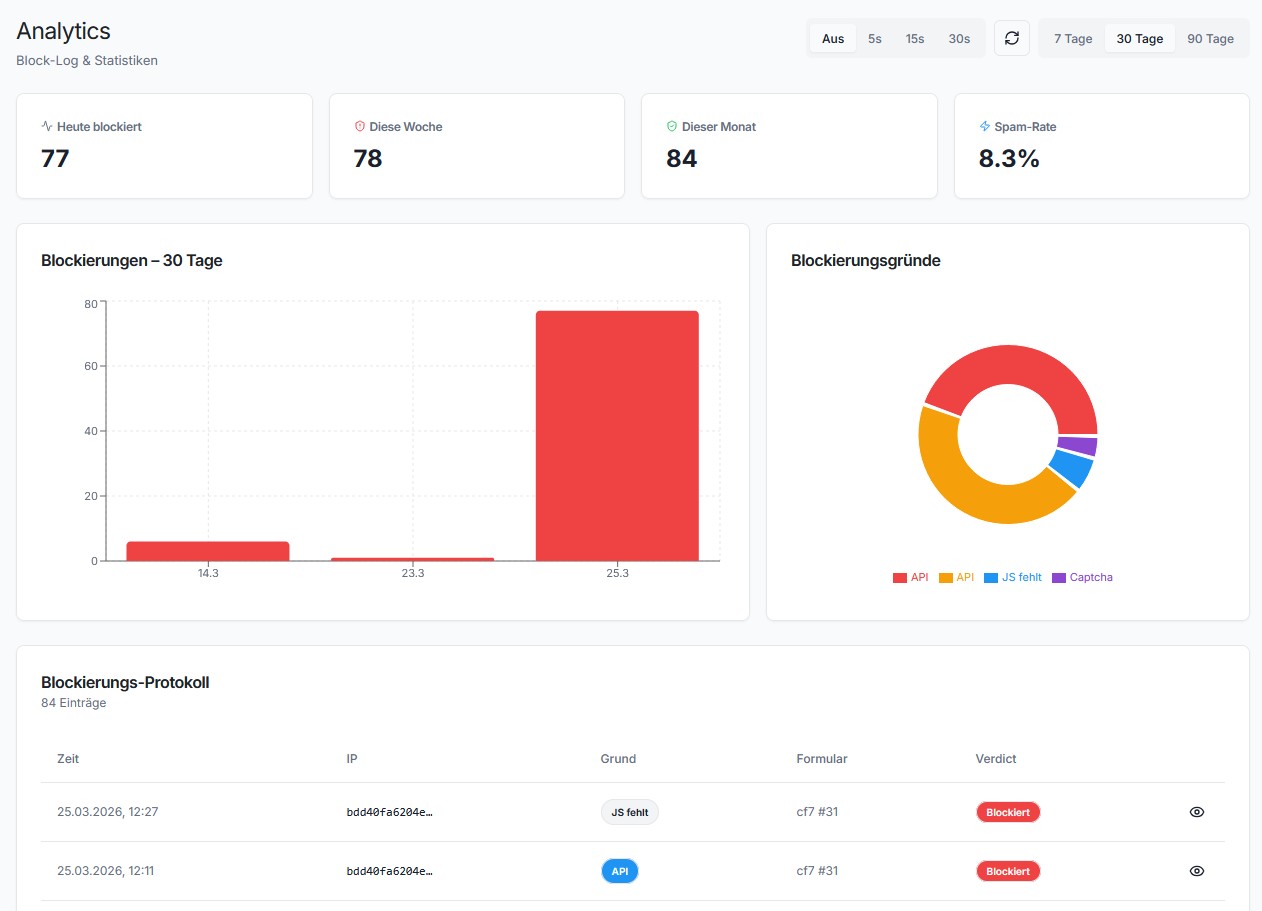
- New [Analytics]: When the SilentShield API is active, the Analytics page now shows an “API Exclusive Blocks” section with measured numbers — how many spam submissions the API blocked that none of the local rules (Captcha, Timer, IP, Honeypot, …) would have stopped, plus the overlap and total API blocks. Both the recording and the section are only active while the API is enabled and reachable. This complements Shadow Mode, which shows an estimate while the API is off.
- New [Analytics]: Bots that submit a protected form without ever loading the widget (no behavior nonce — typically scripts that POST directly without running JavaScript) are now reported to the SilentShield API so they are counted in the “bots blocked” statistics instead of being silently dropped. The submission is still blocked locally exactly as before; the report is fire-and-forget and never delays the request.
- Maintenance: Removed temporary debug logging from the SilentShield API validator (no longer writes diagnostic lines, including nonce/API-key prefixes, to the PHP error log).
2.7.3
- Fix [WooCommerce Checkout]: The JavaScript protection could wrongly reject legitimate checkouts (“JavaScript protection not correct”) and require several clicks on “Place order”. The captcha and its timing fields (
js_start_time/js_end_time) are rendered inside the order review block, which WooCommerce re-renders on everyupdated_checkoutAJAX (address, shipping or payment changes). The page-load init only ran once, so after a refreshjs_start_timewas empty and the timestamp fallback collapsed start and end to the same value (zero duration). The checkout now re-seedsjs_start_timeon everyupdated_checkoutand falls back to the stable page-load time, so the submitted duration is always valid. - Fix [Compatibility]: Resolved a conflict with Germanized for WooCommerce where enabling “WooCommerce Login” or “WooCommerce Registration” protection broke the order withdrawal/Widerruf form (
?wc-ajax=eu_owb_woocommerce_order_withdrawal_request), which failed with an HTTP 500 error and no success/error message. The frontend submit interceptor was bound to the genericform.woocommerce-formclass and therefore also hijacked third-party WooCommerce forms that ship their own AJAX handling. It now only targets the WooCommerce login (woocommerce-form-login) and registration (woocommerce-form-register) forms it actually protects.
2.7.2
- Fix [Forms]: Comments and other default WordPress forms now set the JavaScript timing field (
js_end_time) at the moment of submission instead of on page load. Previously the timestamp was pre-filled during init, making it identical tojs_start_timeand rendering the time-based bot detection ineffective for these forms. - Fix [Forms]: Default forms (comments, JetForm, Ultimate Member, generic forms) no longer ran the captcha workflow on page load. The workflow is now correctly triggered by a native submit listener, so the captcha is verified only when the user actually submits.
- Fix [Forms]: Resolved an issue where default forms with a submit control named
submit(e.g. the WordPress comment form’s “Post Comment” button) could not be submitted, because the control shadowed the form’ssubmit()method. The form is now submitted natively via the prototype method, which also avoids re-entrant submit events. - Fix [IP Protection]: IP rate limiting no longer wrongly blocks legitimate visitors from the third submission onward. The time check compared the gap between the two previous submissions instead of the time since the last one, so the current request’s actual timing was ignored — once a visitor’s first two submissions were close together, every following submission (e.g. the third comment on a post) was rejected with “IP protection” regardless of how long they waited. The check now correctly measures the time elapsed since the visitor’s last submission.
2.7.1
- Improved [Translations]: French (fr_FR) translations overhauled — replaced anglicisms with correct French terminology throughout (“spam” “indésirables”, “bots” “robots”, “plan” “offre”, “plugin” “extension”, “clé API” “clé d’API”, “paramètres” “réglages”, “analyse comportementale IA” “analyse comportementale par IA”, “espace réservé” “texte indicatif”, “étiquette” “libellé”). Fixed typos and grammar errors in community-contributed translations. Regenerated MO and JSON files.
2.7.0
- Fix [Admin UI]: Resolved sidebar/navigation not rendering on sites with WooCommerce or other React-based plugins. The plugin now uses WordPress’ built-in React instead of bundling its own copy, preventing duplicate React instance conflicts that broke context providers.
- Fix [Cron]: “Daily Telemetry” cron job no longer runs when telemetry is disabled. Previously, disabling telemetry in the admin UI only took effect on the next page load; the cron could still fire in between. Cron state is now synced immediately when settings are saved.
- Fix [Cron]: Audit log no longer shows “Daily Telemetry completed” entries when telemetry is disabled. The audit hook for the telemetry cron is now only registered when telemetry is active.
- Fix [Forms]: Integration names (Avada, WooCommerce, Elementor, etc.) are no longer passed through WordPress translation. This caused brand names to be incorrectly translated by community language packs — e.g. “Avada” was displayed as “Optionen” on German sites.
2.6.12
- Fix [Settings]: Plugin action link (“Settings” in plugin list) now correctly opens the new React admin UI instead of the removed legacy page.
- Fix [Dashboard]: “View Audit Log” link in the dashboard widget now points to the new Audit Log page instead of the removed legacy page.
- Fix [Navigation]: Old admin page URLs (e.g.
admin.php?page=f12-cf7-captcha,f12-cf7-captcha-extended,f12-cf7-captcha-audit-log) now redirect to their React equivalents instead of showing a permissions error. - Fix [Forms]: Integration presets (WooCommerce, Fluent Forms, JetForm, etc.) no longer default to “enabled” when the setting has not been explicitly saved. Previously, unsaved settings defaulted to enabled, making it appear as though integrations were active even when the corresponding plugin was not installed.
- Fix [Dashboard]: Internal telemetry errors (e.g.
TELEMETRY_UNEXPECTED_RESPONSE) are no longer shown in the “Recent Issues” section of the dashboard widget. These technical messages are not actionable by end users. - Improved [Dashboard]: Protection Score widget is now more compact — score circle reduced from 120px to 72px, stats displayed beside the circle instead of below, and module list uses smaller type for a tighter layout.
- Improved [Settings]: Added descriptive help text to all numeric fields in Advanced Settings (IP Rate Limiting, Content Rules, Mail Log Retention, Block Log Retention, Audit Log Retention) so users understand what each value controls.
- Improved [Cleanup]: Every cleanup action now shows a description below the button label explaining exactly what it does (e.g. “Removes log entries older than 3 weeks”).
2.6.11
- Fix [Settings]: Global settings (including integration enable/disable toggles) were not loaded on non-admin pages (wp-login.php, frontend). The settings cache only included values from the
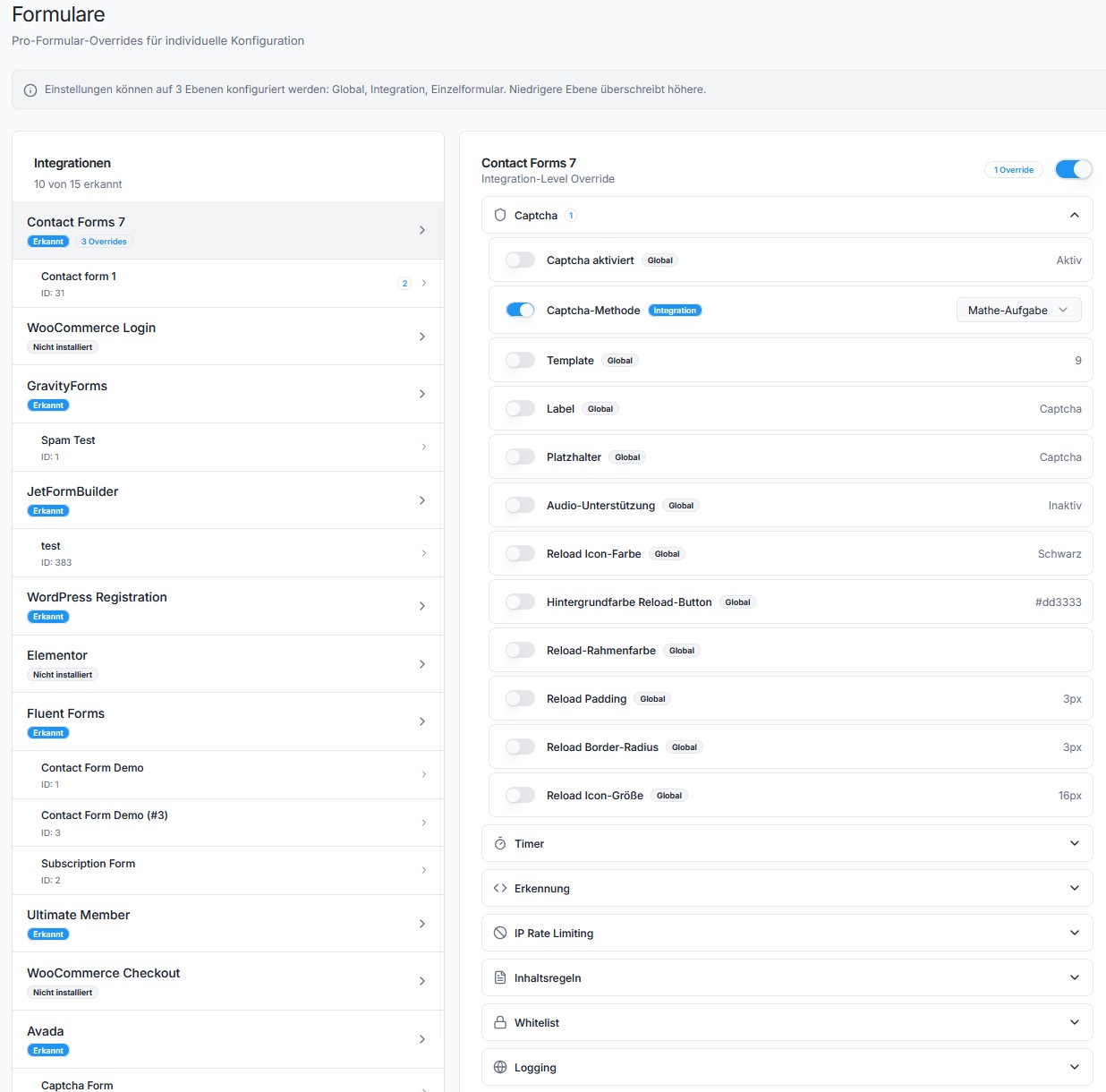
f12-cf7-captcha_settingsfilter defaults, which are only registered on admin pages. DB settings containers not covered by filter defaults were silently dropped. Allget_settings()calls returnednullon the login page, causing every protection module to fall back to its enabled default. This also meant integration toggle settings and per-module overrides were ignored on the login page. - New [Forms]: Added master toggle to enable/disable entire integrations (WordPress Login, WooCommerce, Avada, CF7, etc.) directly from the Forms page. Previously, only per-module overrides were available — there was no way to completely deactivate protection for a specific integration via the UI.
- Fix [Cleanup]: Data Cleanup page showed all counts as zero. The
handle_cleanup_countsendpoint calledget_count()on Cleaner classes (CaptchaCleaner,IPLogCleaner,IPBanCleaner,CaptchaTimerCleaner) which do not have this method. The resultingErrorwas silently caught. Addedget_count()delegate methods to all four Cleaner classes. - New [API]: New REST endpoint
POST /integration/toggleto programmatically enable or disable integrations by setting their global settings key. - New [API]: The
/forms/discoverendpoint now returnsenabledandsettings_keyper integration, so the UI can display and toggle the integration status.
2.6.10
- Fix [Telemetry]: Disabling telemetry in Advanced Settings no longer stops the daily telemetry cron job from running. The cron was scheduled unconditionally on every page load and
send_telemetry_snapshot()never checked the setting — data was still sent to the API even when telemetry was turned off. Now the cron is only registered when telemetry is enabled, removed immediately when disabled, and the send function includes a guard check as defense-in-depth.
2.6.9
- Fix [Whitelist]: Email whitelist never matched — the
is_whitelisted_email()method logged the match but was missing thereturn truestatement, so whitelisted emails were still checked by all protection modules. - Fix [Whitelist]: Admin role check caused early return that blocked IP and email whitelist checks. When admin whitelist was enabled and a non-admin user submitted a form, the method returned
falseimmediately instead of continuing to check IP/email whitelists. - Fix [Whitelist/Blacklist]: REST API settings save (
handle_settings_save) usedsanitize_text_field()for textarea fields (whitelist emails, whitelist IPs, blacklist IPs), which strips newlines. Entries saved via the React admin UI were merged into a single line and never matched. Now usessanitize_textarea_field()for these fields, matching the PHP form handler behavior. - Fix [Whitelist/Blacklist]: IP and email parsing now uses
preg_split('/[\s,]+/')instead ofexplode("\n"), so entries separated by spaces or commas (e.g. from previously corrupted saves) are correctly recognized. - Fix [Protection]: SilentShield API mode and local protection modules (JavaScript, Timer, Captcha, etc.) can now run simultaneously. Previously, enabling the API disabled all local modules and prevented the local JS from loading, causing false
NO_JAVASCRIPTblocks on login and other forms. - Fix [Assets]: Local protection script (
f12-cf7-captcha-cf7.js) is now always loaded when a form is detected, even when the SilentShield API client (client.js) is also active. Previously the two were mutually exclusive. - New [Documentation]: Added in-plugin Help page (SilentShield > Help) with full user guide covering all protection modules, integrations, whitelist/blacklist, per-form overrides, API mode, logging and FAQ.
- New [Documentation]: Contextual help links (info icon) added to all section headings on Settings, Dashboard, API and Forms pages, linking directly to the relevant documentation section.
- New [Documentation]: Inline tooltips on 14 key settings fields (whitelist, blacklist, IP protection, content rules, logging, asset loading) explaining each option on hover.
- New [Translations]: German (de_DE, de_DE_formal) and French (fr_FR) translations added for all documentation strings.
2.6.8
- Fix [API]: Unified all API endpoints to use
/api/v1base path. The verify endpoint changed from/v1/verifyto/api/v1/captcha/verify-nonce. Affects key validation, trial creation, telemetry, shadow mode, and blacklist retrieval. - New [API]: Introduced separate
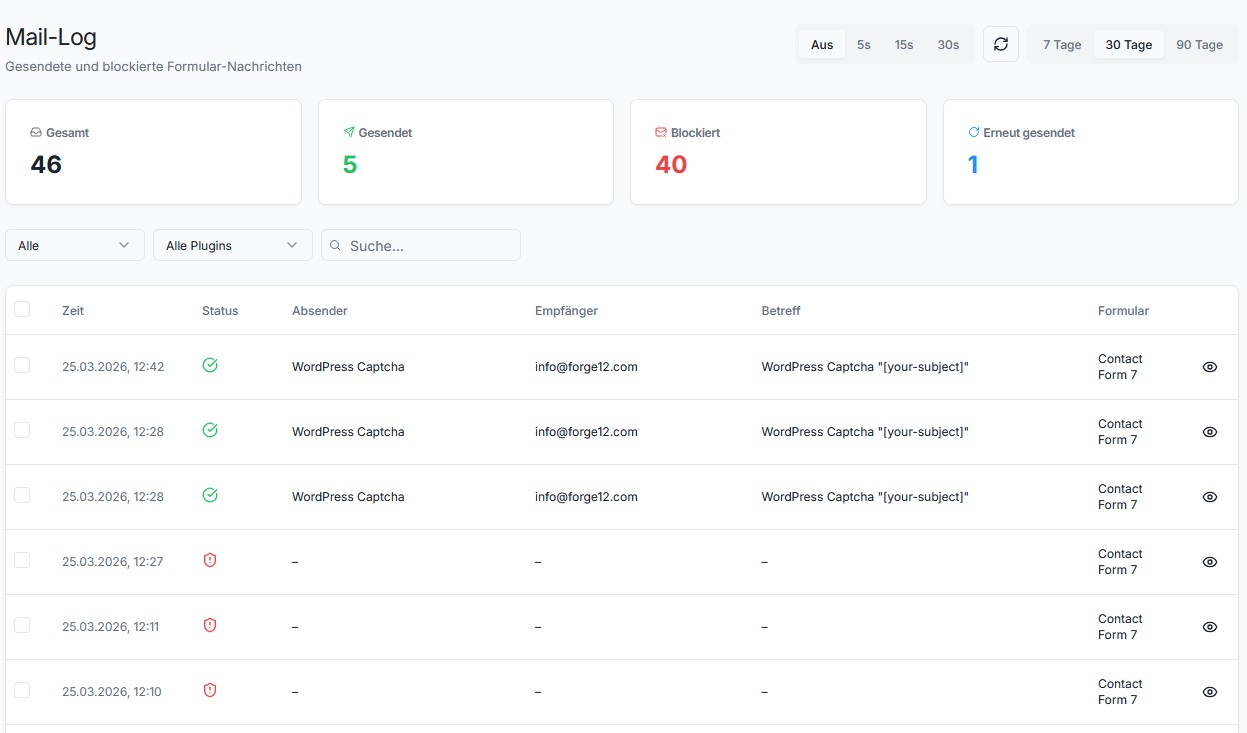
F12_CAPTCHA_CLIENT_URLconstant to decouple the behavior client script URL from the API base URL. The client.js loader now readsclient_urlfrom localized data with fallback tourl. - New [Mail-Log]: API response metadata (verdict, confidence, reason codes) is now forwarded to mail log entries for both blocked and passed submissions, enabling better audit trail and debugging.
- Fix [Settings]: Added
invalidate_settings_cachehook atinitpriority 99 to ensure the settings cache is rebuilt after UI page filters register their defaults. - New [Debug]: Added detailed debug logging in the API spam check flow for nonce detection, API request/response, and verdict evaluation. Temporary logging to
error_logfor troubleshooting integration issues.
2.6.7
- Fix [Translations]: Fixed 4 German strings that were mistakenly used in the French (fr_FR) translation files instead of French. Affected strings: “Enable Mail Logging…”, “Also block partial matches…”, “The analytics page…”, “Synchronized with WordPress Disallowed Comment Keys”.
- Fix [Translations]: Fixed incorrect French translation for relative time indicator “in” — changed from “dans” to “en” (e.g. “en 5 minutes”).
- Fix [UI]: Fixed overflow-hidden on the individual forms list (FormsPage) which prevented scrolling when the list exceeded viewport height. Replaced with overflow-auto.
- Fix [Settings]: Fixed settings cache race condition where
Protection::init_modules()calledget_settings()before UI pages registered their filter defaults, caching an empty array. The REST API then returned[]instead of{ global: {...}, beta: {...} }, causing the admin UI to show empty settings. The cache is now invalidated oninit(priority 99) after UI page filters are registered.
2.6.6
- Fix [Translations]: Fixed
_load_textdomain_just_in_timenotice introduced in WordPress 6.7. Translation loading for UI pages (e.g. Upgrade page) was triggered too early during plugin initialization. Thedo_action('_ui_after_load_pages')call inUI_Manageris now deferred to theinithook, ensuring__()is only called after translations are available.
2.6.5
- New [Templates]: Captcha image now uses transparent PNG background, blending seamlessly with all template styles (Standard, Compact, Clean, Dark Card, Gradient Dark). Dark templates (Gradient Dark) use light text colors for readability.
- New [Templates]: Classic templates (0–2) from v2.3.x are now visible and selectable in the template picker alongside the modern templates, ensuring backward compatibility for existing users after updates.
- New [Templates]: Template picker UI now groups templates into “Templates” (modern) and “Classic Templates” (legacy) sections with distinct preview styles.
- Fix [Templates]: Audio tooltip text (“Click to have the CAPTCHA read aloud”) was rendered as visible text instead of a hover tooltip. Added global CSS rule to hide by default and show on hover.
- Fix [Templates]: Compact template (6) reload and audio icons were separated instead of grouped on the right side. Fixed flex layout so icons stay together.
- Fix [Templates]: Compact template (6) input field was too short and had no border. Added proper border styling and flex layout for hint text + input inline.
- Fix [Templates]: Audio button icon was misaligned vertically with reload icon across all templates. Added
line-height: 0; display: inline-flex; align-items: centerto audio buttons. - Fix [Templates]: Removed
padding-right: 0override on.c-header > divfor all v2 templates (5–9) which caused math captcha question mark to stick to the container edge. - Fix [Captcha Pool]: Pool entries now store the template ID they were generated for. On retrieval, only entries matching the current template are used, preventing stale images with wrong colors after template changes.
2.6.4
- Fix [Charts]: Fixed empty/blank Recharts charts on Dashboard and …